

10 WooCommerce Promotion Ideas to Increase Sales During the Holiday Season
Written by Md Ferdous Hassan Alin. Posted in WooCommerce, WordPress No Comments
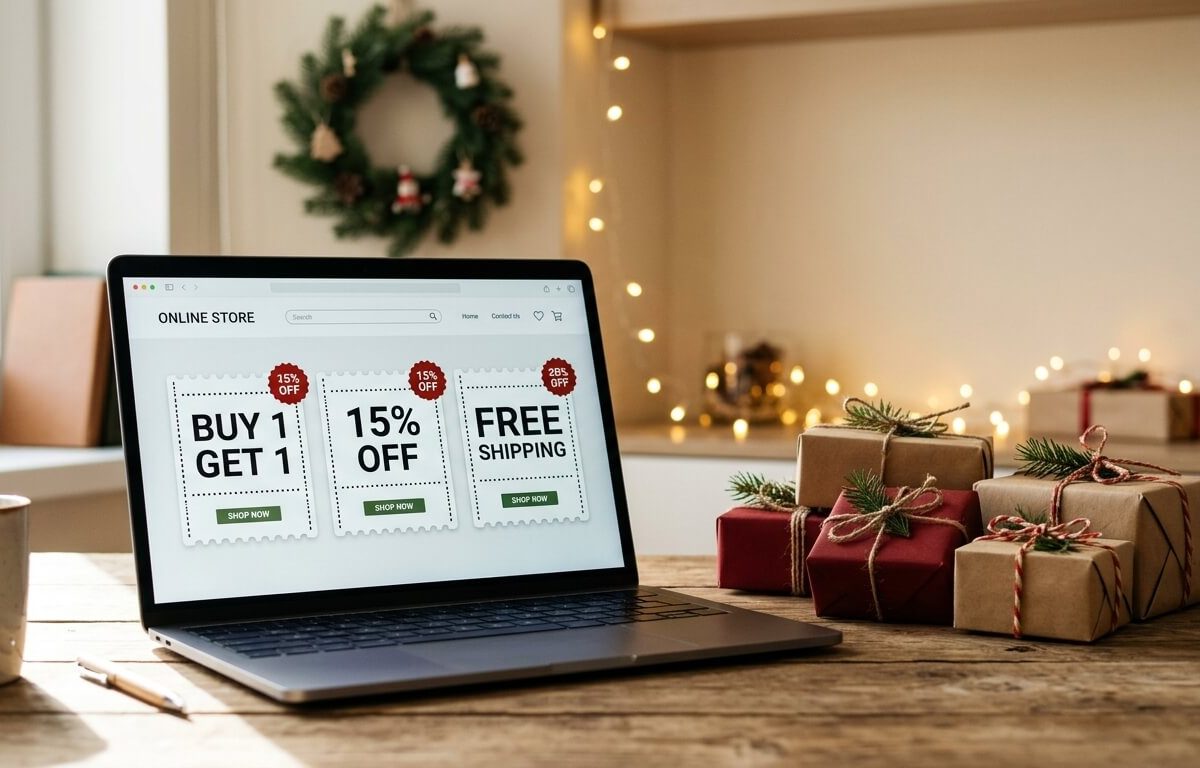
Holiday shoppers compare prices fast. They check delivery dates, look for a code, and leave when an offer is hard to understand. A store that posts a general “20% off” banner and nothing else gives them little reason to choose it over a large marketplace.
This guide shows how to increase WooCommerce sales during the holiday season with 10 WooCommerce promotion ideas: WooCommerce coupon codes, BOGO offers, bundles, quantity discounts, spend-more incentives, free shipping thresholds, gift vouchers, loyalty points, scheduled offers, and one promotion that runs both online and in a physical shop. Each idea explains what it is, when it fits, what can go wrong, and how to set it up. If you are wondering how to run a holiday sale in WooCommerce without a long setup, the step-by-step section near the end puts several ideas together.
WooCommerce can run some of these promotion ideas on its own. Others need a plugin. Where a plugin helps, the article shows how Vite Coupon & Voucher, Vite Rewards, the Mini Cart Drawer, and the Vitepos User & Kiosk App handle the job. These are Appsbd products, and the article names them whenever a feature belongs to one. If you would rather start with a schedule, read the WooCommerce seasonal promotion calendar guide first.
Why WooCommerce Holiday Sales Need a Plan
Holiday traffic brings more first-time visitors, and many of them compare several stores at once. WooCommerce holiday sales depend on that short comparison window, so a promotion has to be easy to understand, easy to apply, and clear about when it ends.
The cart is where small problems cost orders. The Baymard Institute, which collects published cart abandonment studies, reports an average documented abandonment rate of about 70% across 49 studies. Not every abandoned cart is a lost sale, because some shoppers are only browsing. Still, a confusing coupon field, a surprise cost, or a slow page at this step turns interested shoppers into lost orders.
Most WooCommerce promotion ideas for the holiday season work when they meet five conditions:
- The offer fits in one line, such as “Buy two, get one free” or “Free shipping over $60”.
- The discount leaves a margin on every product it covers.
- The customer can apply it without searching for a code.
- It has a start date and an end date set in advance.
- It was tested on a real cart before launch.
The sections below use these five conditions to judge each of the WooCommerce promotion ideas.
Before You Start: Four Checks for WooCommerce Seasonal Promotions
Settle four points before you pick from the WooCommerce promotion ideas below. For a small catalog, each one takes under an hour.
- Margin per product. Write down the cost and the selling price of each product you plan to discount. The tips section below has a worked example.
- Stock. A discounted product that sells out on day one leaves a banner that points to nothing. Check stock levels and turn on low-stock notifications.
- Shipping dates. Find your carrier’s last order dates for holiday delivery, and decide when you will stop promising delivery before the holiday.
- Site speed. An offer does not help if pages load slowly. The WooCommerce performance guide lists the main fixes in order of impact.
Appsbd’s big sale event preparation guide covers the stock and operations side in more detail.
10 WooCommerce Promotion Ideas for the Holiday Season
These WooCommerce promotion ideas run roughly from simplest to most involved. You do not need all ten. Two or three that fit your catalog are easier to run well than ten at once, and they still help you increase WooCommerce sales during the holiday season.
1. WooCommerce Coupon Codes With Clear Conditions
Coupon codes are the most common of the WooCommerce promotion ideas, and WooCommerce itself includes them. A coupon can take a percentage off, a fixed amount off the cart, or a fixed amount off a product. You can limit a code by minimum or maximum spend, by product or category, and by customer email. You can also set an expiry date and usage limits per coupon or per customer. The WooCommerce documentation on coupon management explains each setting.
For WooCommerce coupon codes, a few settings do most of the work:
- Minimum spend. A 15% code that requires a $50 cart protects margin on small orders.
- Usage limit per customer. Setting it to 1 stops one customer from reusing the code.
- Expiry date. Choose the date when you create the code, not after the sale starts.
- Individual use only. This keeps the code from stacking with other coupons.
A public code can be copied and shared, so avoid attaching a very high value to it. Plain WooCommerce coupon codes still form the base of most WooCommerce holiday sales, so get them right first. If you need a separate code for each customer, use a voucher instead (idea 7).
On the plugin side, Vite Coupon & Voucher keeps WooCommerce’s default percentage and fixed coupons and adds conditions, scheduling, and offer types that core WooCommerce does not have. The next idea covers those offer types, and the scheduler helps with WooCommerce seasonal promotions that start and end on set dates. The plugin also has a free Lite version, which makes it easy to test the rules before the season.
2. BOGO Offers in WooCommerce and Other Buy-and-Get Deals
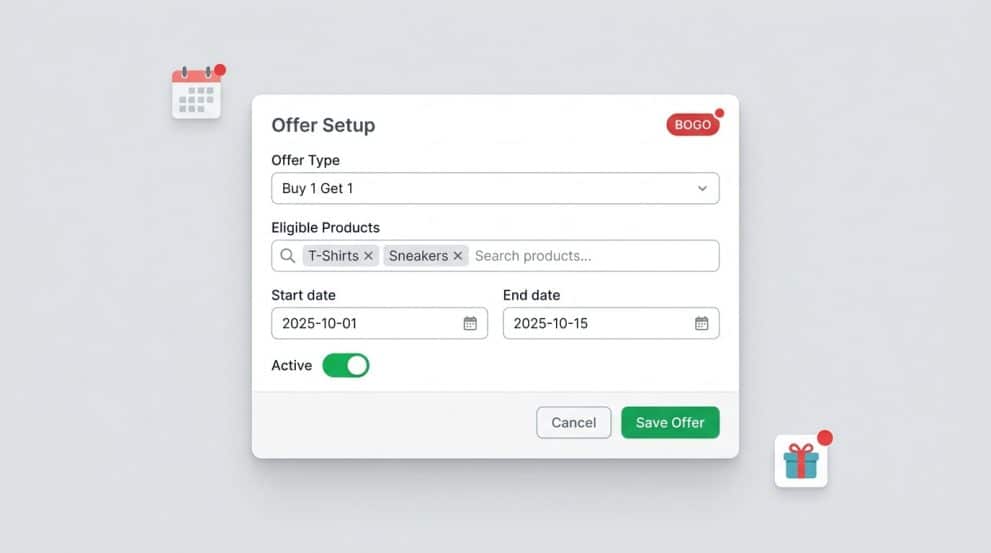
BOGO means “buy one, get one.” WooCommerce’s built-in coupon types do not include it, so BOGO offers in WooCommerce need a plugin or custom code. Vite Coupon supports several buy-and-get formats:
- BOGO: buy one eligible item and get one free.
- BTGO: buy two eligible items and get a third free.
- BOGT: buy one eligible item and get two free.
- Buy many, get many (BNGN): choose a group of products that qualify for the offer.
- Conditional BOGO: a discount on the second item, with conditions such as a minimum spend or selected products.
The conditional version is the safer choice when a free item would cost too much. “Buy one, get 50% off the second” gives customers a reason to add an item while limiting your loss.
If you are wondering how to set up BOGO offers in WooCommerce, the steps are similar in most plugins:
- Choose the eligible products or categories.
- Set how many items the customer buys and how many they receive.
- Decide whether the extra items are free or discounted.
- Schedule the start and end.
- Test with a cart that mixes eligible and non-eligible items.
BOGO offers suit pairs of related products, gift sets, and stock you want to clear. The main risk is a free item that costs more than the paid one, so define which item is free before launch. Of all the WooCommerce promotion ideas in this list, BOGO needs the most careful margin check.
3. Product Bundles
A bundle sells several products together for less than their combined price, such as a holiday gift set of three items. Bundles are one of the WooCommerce promotion ideas that suit gift shopping, because the buyer gets a finished idea instead of choosing parts.
WooCommerce has grouped products, but they list items on one page and price each one separately, so they are not a discounted bundle. There are two practical routes:
- A separate bundle product. Create a normal product, name it as a set, give it its own price, and track its stock. It is easy for customers to understand and works with most checkout tools. The downside is that stock for the individual parts is not reduced automatically unless you manage it by hand or use an extension.
- A rule-based offer. In Vite Coupon you can pick the products inside a buy-many-get-many offer. The customer adds the chosen items and the discount applies. The cart still shows separate lines, not one set.
If you also sell through a POS, test the bundle there before the season starts. Keep bundles to two to four items, and show the saving on the product page, for example “Save $12 on the set.”
4. WooCommerce Quantity Discounts
WooCommerce quantity discounts lower the price as the number of items rises: 10% off for two, 15% off for three. It suits small or consumable items such as candles, stationery, snacks, and party supplies, where customers can use more than one.
Core WooCommerce coupons do not offer tiers by quantity. Appsbd describes the “buy many, get many conditional discount” in Vite Coupon as a discount that grows with the quantity bought on qualifying products. That fits WooCommerce quantity discounts well.
A few rules keep these offers manageable:
- Use two or three tiers. Longer tier lists are harder to read and harder to check for margin.
- Check the margin at the highest tier first.
- Show the tiers on the product page and in the banner, so customers know the discount exists before they reach the cart.
WooCommerce quantity discounts work best on items customers can reasonably buy in twos or threes.
5. Spend-More Incentives in the Mini Cart
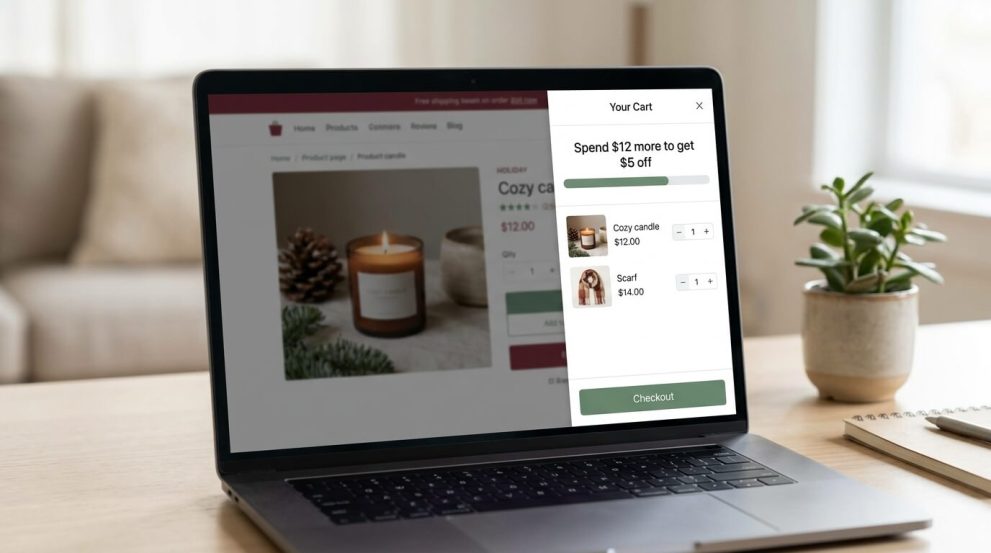
A spend-more incentive tells the customer how much more to add to reach a reward, such as “Spend $20 more and get $2 off.” It aims to raise average order value instead of discounting every sale, and it is one of the WooCommerce promotion ideas that works on order value rather than traffic.
The Mini Cart Drawer is a WooCommerce plugin that shows the cart in a slide-out drawer, so shoppers can change quantities or remove items without leaving the page. Appsbd’s product page also describes a sale booster, or dynamic discount module, with a progress bar that can show a message like the one above. The drawer can display tax information and available coupons, and it has a live customizer, color and icon options, custom CSS, shortcodes, and an option to place the cart icon in the site menu. Check the plan comparison on the product page for the exact feature set of each version.
To set the threshold, look at your current average order value in WooCommerce Analytics and set the first target a little above it. A target far above the average gets ignored. A target below it gives a discount to customers who would have spent that amount anyway. The guides on WooCommerce checkout optimization and the cart experience cover related cart changes.
6. Free Shipping Threshold in WooCommerce
Shipping costs that first appear at checkout often make shoppers hesitate. A free shipping threshold gives them a goal and raises the cart value at the same time: “Free shipping over $60.”
Core WooCommerce handles this without a plugin. The free shipping method can require a minimum order amount, and a coupon can also include a free shipping option. Setting up a free shipping threshold in WooCommerce takes a few minutes in the shipping settings.
For the holidays, set the free shipping threshold in WooCommerce slightly above your average order value, and work out the shipping cost for your heavier orders before you publish it. Put the threshold in the site banner and on product pages. Add your last order date for holiday delivery next to it, because a free shipping promise that arrives after the holiday creates support requests.
7. WooCommerce Gift Vouchers for the Holidays
A voucher is a code that carries a value, and it differs from a coupon in how it is used. A coupon is usually a shared discount rule. A voucher is usually issued to one person and redeemed once.
Version 2.0.0 of Vite Coupon & Voucher, released on July 1, 2026, added a voucher module. According to Appsbd’s voucher system update, it includes single-use codes, delivery by email, expiry dates, minimum order restrictions, voucher image upload, redemption in both WooCommerce and Vitepos, a “partially used” status, and a voucher log. The plugin’s WordPress.org listing also describes selling vouchers as products, with a fixed amount, like any other WooCommerce product. That makes WooCommerce gift vouchers available to sell before the holiday and redeem after it.
WooCommerce gift vouchers suit buyers who do not know what to choose, and stores where size or color makes gifts risky. Three points need attention:
- Expiry rules. Laws on expiry dates for gift vouchers differ by country, so check local rules before you set one.
- Partial use. Decide whether a leftover balance stays on the voucher, and keep the voucher log for your records.
- Plan availability. Check the current plan details to confirm which plan includes the voucher module before you buy.
8. A WooCommerce Loyalty Program With Points
A WooCommerce loyalty program gives customers a reason to return after the sale. Vite Rewards is a loyalty points plugin for WooCommerce and Vitepos. Its product page lists these rules:
- Points for signing up and for daily logins.
- Points per order, by order amount, and by order amount range.
- Points for buying any product in the store.
- A referral rule and points expiry, both added in version 2.0.0 on July 30, 2026, and both marked Pro.
Customers can redeem points at the cart and checkout. You can set a maximum number of points per order, return points when an order is refunded or canceled, and send notifications through email templates. Badges and a points log are also listed. A free Lite version exists.
Of the WooCommerce promotion ideas here, a loyalty program has the longest payoff. For the holidays, WooCommerce loyalty points work best as a bridge into the new year. Holiday orders earn points that customers can use in January. A cap on points per order protects your margin, and the Pro points expiry sets a deadline that encourages redemption. Remember that points are a future discount. Decide what a point is worth before you launch a WooCommerce loyalty program. The guide on turning one-time buyers into repeat customers covers what to do after the sale ends.
9. Scheduled Offers and Link-Based Coupons
Time-limited offers such as a 24-hour sale or a “Cyber Monday only” code work when the end is real. A fake countdown that resets damages trust.
Core WooCommerce supports coupon expiry dates, and product sale prices can have scheduled start and end dates. Vite Coupon adds a day and time scheduler that limits a coupon to specific days and hours. It also has URL coupons, which apply when a customer opens a link.
URL coupons suit email and social campaigns, and they fit WooCommerce seasonal promotions that follow a fixed timetable. You can send an early-access link to subscribers, or put a link behind a QR code on packaging. Test every link on a phone in a private browser window. If the offer is meant for a limited group, add a usage limit, because a link can be forwarded.
10. One Promotion Online and in the Shop
If you sell at a counter, a market stall, or a restaurant as well as online, separate promotions confuse customers. The last of the WooCommerce promotion ideas on this list is for stores that have both channels. Vitepos is a point of sale plugin for WooCommerce. Vite Coupon and Vite Rewards both integrate with it, so a code or a points balance can work in both places. The Vitepos documentation and the first-time setup guide explain the base setup.
The Vitepos User & Kiosk App is an add-on that lets customers place orders themselves. In a restaurant, guests can scan a table QR code to view the menu and order. The app can also run on kiosk devices as self-service ordering stations. Orders go to the Vitepos core app. Appsbd lists support for WooCommerce payment gateways, Vite Coupon, and Vite Rewards, and the app runs in a browser on a phone, tablet, or desktop.
This setup helps during busy holiday hours, because customers can order without waiting for a staff member and still apply a code or points. Test the full path before the season: apply a code at the kiosk, pay, and check that the order reaches the kitchen or counter.

How to Choose Between These WooCommerce Promotion Ideas
Pick ideas that match your goal and your catalog. The table summarizes each of the 10 WooCommerce promotion ideas.
Idea | Best for | Main risk | Core WooCommerce or plugin |
|---|---|---|---|
1. Coupon codes | Site-wide or category sales | Public codes get shared | Core; Vite Coupon adds conditions |
2. BOGO offers | Paired items, stock clearance | Free item costs more than the paid one | Plugin |
3. Bundles | Gift sets | Stock tracking for the parts | Separate product or rule |
4. Quantity discounts | Small, repeat-buy items | Thin margin at the top tier | Plugin |
5. Spend-more incentives | Raising average order value | Target set too high or too low | Mini Cart Drawer |
6. Free shipping threshold | Hesitation at checkout | Shipping cost on heavy orders | Core |
7. Gift vouchers | Gift buyers | Expiry rules, balance tracking | Vite Coupon & Voucher |
8. Loyalty points | Repeat purchases | Long-term cost of points | Vite Rewards |
9. Scheduled and URL offers | Flash sales, email segments | Fake urgency, shared links | Core and Vite Coupon |
10. Online and in-store | Shops with counters or restaurants | Setup across two systems | Vitepos and add-ons |
A small store with one sales channel can start with ideas 1, 6, and 9, which need little or no extra software. A store with a physical location can add WooCommerce gift vouchers, a WooCommerce loyalty program, and the in-store setup (ideas 7, 8, and 10). A store with a high share of one-item orders can try BOGO offers in WooCommerce, WooCommerce quantity discounts, and spend-more incentives (ideas 2, 4, and 5).
Practical Tips for Running WooCommerce Seasonal Promotions
These tips apply to every one of the WooCommerce promotion ideas above. They help you increase WooCommerce sales during the holiday season without giving margin away, however you run a holiday sale in WooCommerce.
Start three to four weeks early
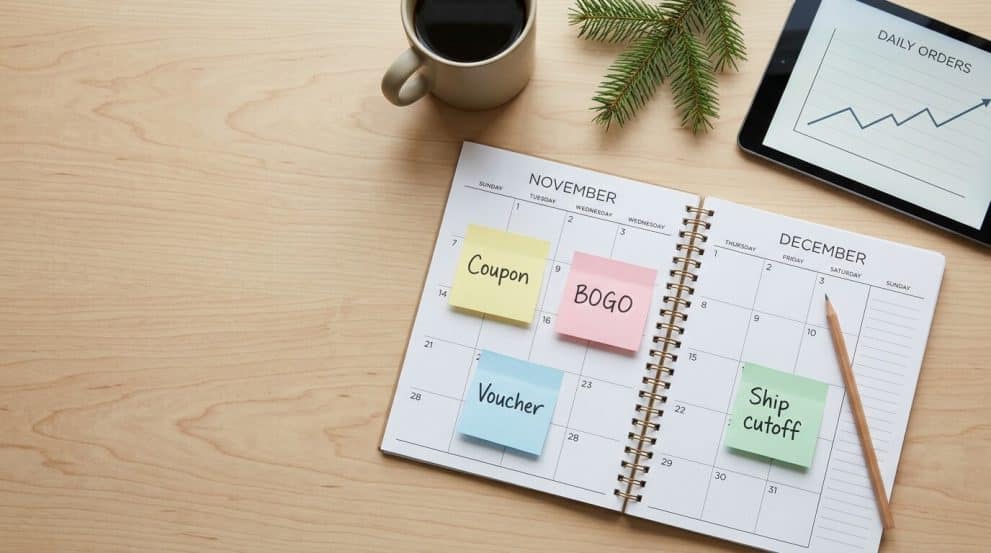
Create codes, banners, and email copy before the first promotion date. In 2026, Black Friday falls on November 27 and Cyber Monday on November 30. A written plan with dates, codes, and owners prevents last-minute changes. The seasonal promotion calendar guide gives a week-by-week framework.
Do the margin math
Take a product that sells for $40 and costs $22 to buy and ship. At full price the margin is $18. With 25% off, the price is $30 and the margin is $8, or about 27% of the price. With a straight buy-one-get-one-free offer, the customer pays $40 for two items that cost you $44, so the sale loses $4. These figures are examples. Replace them with your own costs and include payment fees.
Control stacking
WooCommerce coupon codes have an “Individual use only” setting that stops a code from combining with others. Decide which offers can combine, and set the rest to individual use. Check how your BOGO offers in WooCommerce interact with percentage codes before launch.
Test on real carts
Place test orders on desktop and mobile with different carts: one eligible item, mixed items, a cart below the minimum, and a cart with a second coupon. If you sell in a shop, repeat the same cases at the POS.
End promotions on time
Set expiry dates when you create the offer. After the sale, open the coupon list and check that nothing is still active.
Tell customers where the offer applies
Put the offer in the site banner, on product pages, and in the cart. A drawer cart can repeat the message at the point of purchase. If a customer has to search for the code, the offer loses much of its value. The guide on reducing checkout drop-offs lists changes that help here.
Review after the sale
Record the codes used, revenue, average order value, and refunds. Use the numbers when you plan next season.
Step-by-Step: How to Run a Holiday Sale in WooCommerce
This example combines three ideas: a free shipping threshold in WooCommerce, one BOGO offer, and WooCommerce gift vouchers. Adjust it to your catalog and your WooCommerce holiday sales plan.
- Set one goal. Choose one number to improve, such as average order value or new customers.
- Pick two or three WooCommerce promotion ideas. Running all ten at once confuses customers and makes testing hard.
- Run the margin check for every product the offers touch.
- Create the offers. Set the free shipping minimum in the WooCommerce shipping settings. Create the BOGO rule and the voucher in the Vite Coupon menu, or in the plugin you use.
- Set start and end dates on every offer.
- Test the offers. Use desktop, mobile, and the POS if you have one.
- Announce the offers. Update the banner, product pages, mini cart message, and email list.
- Monitor the first three days. Watch coupon use, stock levels, and support messages.
- Close and review. Deactivate expired offers and record what worked.
Common Mistakes to Avoid
- Running too many WooCommerce promotion ideas at once. Customers cannot tell which one applies, and you cannot tell which one worked.
- Discounting below margin. Check the numbers for the lowest-margin product in each offer.
- Leaving out an end date. A code that stays active after the sale reduces margin until someone notices.
- Hiding the conditions. If an offer needs a minimum spend, say so next to the offer, not only in the fine print.
- Skipping mobile tests. Many holiday shoppers use a phone, and coupon fields can be hard to use on small screens.
- Ignoring stock. An offer on a product that sells out in a day creates complaints.
- Forgetting the shop. If an offer applies online but not at the POS, staff have to explain why.
- Handing out points without a budget. Loyalty points are a future discount, so estimate the cost.
- Using fake urgency. A countdown that restarts every day teaches customers to ignore it.
Using the Appsbd Bundle for Holiday Promotions
If you want several of these tools for WooCommerce holiday sales, Appsbd sells them as one bundle on the Vitepos pricing page. The page lists Vitepos, Vite Coupon & Voucher, Vite Rewards, the User & Kiosk App, the Mini Cart Drawer, and Vite Wholesale Pro, which is marked as coming. It also says any new Vitepos add-on released later is included. The bundle is offered for one site or five sites, as a yearly or lifetime license. Prices change during sales, so check the pricing page for current terms.
The bundle is optional. Several of the WooCommerce promotion ideas above need no plugin, because WooCommerce core covers percentage and fixed coupons and free shipping thresholds. Vite Coupon, Vite Rewards, and the Mini Cart Drawer each have a free version, so you can try them before you decide. Check each plan’s feature list, because some features are marked Pro.
Promotion idea | Appsbd product | Role in the promotion |
|---|---|---|
Coupon codes, BOGO offers, quantity discounts, scheduled and URL offers | Vite Coupon & Voucher | Creates and schedules the offers |
Gift vouchers | Vite Coupon & Voucher | Issues single-use voucher codes |
Loyalty points | Vite Rewards | Awards and redeems points |
Spend-more incentives | Mini Cart Drawer | Shows the cart and the progress message |
Online and in-store promotions | Vitepos and the User & Kiosk App | Runs sales at the counter and self-order |
To see current offers, Explore Appsbd Deals.
When to Ask for Technical Help
Most promotions can be set up by a store owner. Ask a developer or the plugin’s support team when:
- A coupon calculates the wrong total after a theme or plugin update.
- Tax-inclusive prices produce odd totals with BOGO or quantity rules.
- The same offer behaves differently online and at the POS.
- The site slows down under holiday traffic.
Appsbd customers can reach support through the contact page.
FAQ
The best choice depends on your margin and catalog. Coupon codes, a free shipping threshold, and a BOGO offer are common starting points. Bundles, quantity discounts, gift vouchers, and loyalty points add more options.
Start with offers that fit your margin: a coupon code, a free shipping threshold, and one BOGO or quantity offer. Add loyalty points or vouchers if you want customers to return, and test each offer before launch.
Percentage and fixed coupon codes, free shipping thresholds, and scheduled sale prices work in core WooCommerce. BOGO offers, quantity discounts, vouchers, and loyalty points need a plugin or custom code.
Start planning three to four weeks before the first sale date. In 2026, Black Friday is on November 27 and Cyber Monday is on November 30, so create and test your offers before then.
Not with the built-in coupon types, which cover percentage and fixed discounts. A plugin such as Vite Coupon adds BOGO offers in WooCommerce, or you can write custom code.
It depends on each coupon’s settings. WooCommerce lets you mark a coupon as “Individual use only,” which stops it from combining with others. Decide which offers may stack, and test the results.
A coupon is usually a shared discount rule that many customers can use. A voucher is usually a code with a value that is issued to one person and redeemed once. WooCommerce gift vouchers can also be sold as products in some plugins.
Set a usage limit per coupon and per customer, add a minimum spend, restrict the code to certain products or emails, and give it an expiry date. For one-person offers, use single-use vouchers instead of a public code.
WooCommerce core does not include a loyalty points system, so you need a plugin. Vite Rewards is one option and has a free Lite version. Check the plan details for Pro features such as referral rules and points expiry.
Edit your shipping zone, add or open the free shipping method, and set it to require a minimum order amount. Then show the threshold in your banner and on product pages.
Yes, if your tools connect. Vite Coupon and Vite Rewards integrate with Vitepos, which lets one code or points balance work in both places. Test the full path at the counter before the season.
Conclusion
The holiday season rewards stores that plan their offers early and keep them simple. To increase WooCommerce sales during the holiday season, start with the margin check, choose two or three of these WooCommerce promotion ideas, set an end date for each, and test every offer on a real cart. Add tools only where WooCommerce cannot do the job, and measure the results so next year’s plan for WooCommerce holiday sales and WooCommerce seasonal promotions starts from real numbers.
If you want to compare tools for these promotions, Explore Appsbd Deals to see current offers on Vitepos, Vite Coupon & Voucher, Vite Rewards, the User & Kiosk App, the Mini Cart Drawer, and the bundle.
Subscribe
To get news about new releases, Updates, Blog Post, Deals and Discounts