
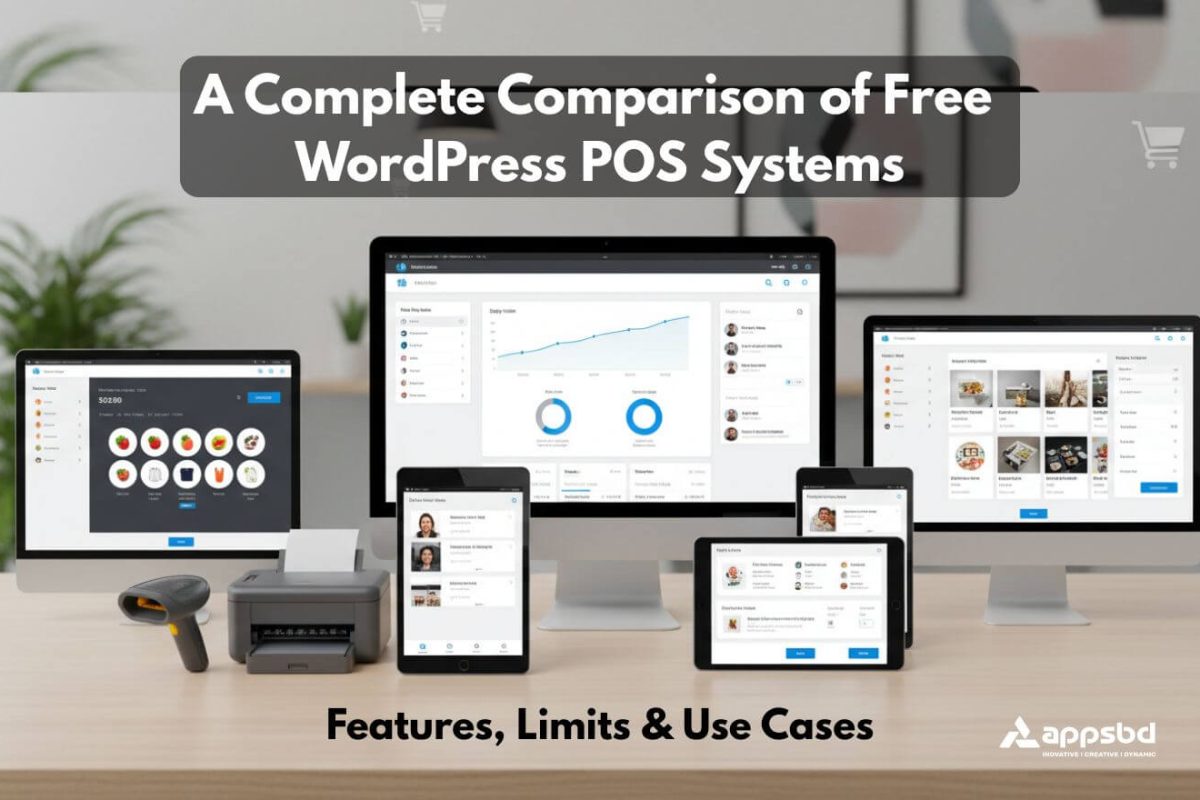
Best Free WordPress POS System Comparison: Features, Limits, and Use Cases
Written by Towhidul Islam. Posted in Vitepos, WooCommerce, WordPress No Comments
POS System Comparison — Managing a retail store or WooCommerce shop can get chaotic without a proper point‑of‑sale (POS) system. But which POS plugin should you choose for WordPress? Don’t worry—we’ve got you covered. In this detailed comparison, we’ll explore the top free WordPress POS plugins available today, highlighting their features, pros, cons, and ideal use cases.
Introduction
Running a WordPress store without a proper POS plugin is like trying to bake a cake without measuring cups—you might get something edible, but it’s messy and inefficient. A POS system helps you track sales, manage inventory, and streamline your store operations. With so many free options available, choosing the right one can feel overwhelming. That’s why we’ve put together this in-depth comparison of the best free WordPress POS systems.
Why You Need a WordPress POS System
A POS system is no longer just for physical stores. Even online shops can benefit from POS functionality:
Streamlined checkout processes
Accurate inventory tracking
Easy sales reporting
Support for multiple payment methods
Without it, managing your store manually is time-consuming and prone to errors.
Key Features to Look For in a Free POS System
Before diving into the plugins, consider these must-have features:
Ease of Use: Shouldn’t require a tech degree to operate.
WooCommerce Integration: Essential for syncing products and orders.
Payment Options: Accept multiple payment types easily.
Inventory Management: Track stock levels automatically.
Offline Mode: Ability to process sales without an internet connection.
POS System Comparison: Choosing the Right Solution for Your Business
Selecting the right point‑of‑sale (POS) system can significantly impact the efficiency and growth of your business. A thorough POS system comparison allows you to evaluate different platforms based on features, pricing, ease of use, and integration capabilities. Whether you run a retail store, restaurant, or an online shop, understanding how each system handles inventory management, payment processing, reporting, and customer engagement is essential. By comparing leading solutions side by side, you can identify the one that best aligns with your operational needs and long‑term goals.
Overview
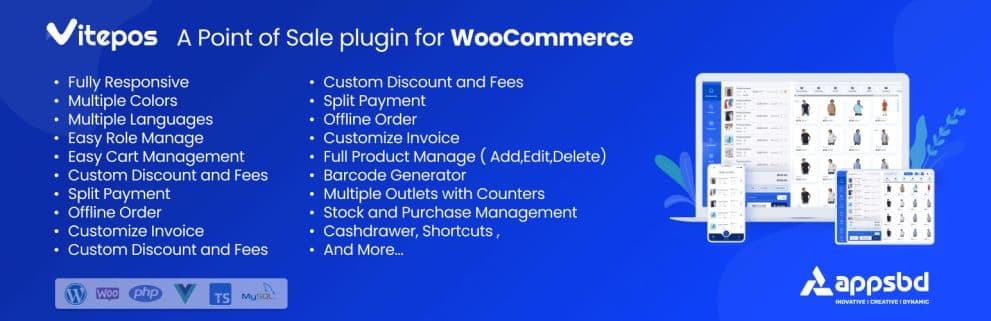
VitePOS is a powerful, fast, and user-friendly Point of Sale (POS) system built specifically for WooCommerce stores. Designed to bridge the gap between online stores and offline sales, VitePOS provides real-time sync with your WooCommerce inventory, easy checkout processes, and seamless customer experiences. It’s lightweight, fast, and exceptionally easy to use — making it ideal for businesses that want a professional POS without paying for expensive software.
Features
✔ Real-Time WooCommerce Sync
VitePOS automatically syncs products, stock levels, prices and variations with your WooCommerce store in real time — so you never oversell or miscount inventory.
✔ Multi-Outlet Support
Works for more than one counter or store location (handy for shops with multiple tills).
✔ Fast Checkout Interface
Designed for speed — use barcode scanning or quick product search to ring up sales in seconds.
✔ QR Code & Barcode Support
Customers can check out with QR codes, and staff can scan barcodes for instant product lookup.
✔ Printable Receipts
Generate and print receipts instantly after checkout.
✔ Customer Order History
Track customer purchases, making it easier to manage loyalty and customer data.
✔ Responsive UI for POS Screens
Works smoothly on desktops, tablets, or mobile devices via responsive web interface.
✔ Basic Reports & Daily Sales Summary
Get daily totals, order numbers, and a snapshot of how sales performed — all in the free version.
Pros and Cons
Pros 👍
✔ Best Free POS for WooCommerce
Compared to other free POS options, VitePOS offers the most complete set of essential features without forcing upgrades.
✔ Real-Time Inventory Sync
No need for manual stock updates — everything updates instantly.
✔ Fast & Easy to Use
The straightforward interface makes checkout super fast — ideal for retail and restaurant counters.
✔ Supports Barcode & QR
Most free POS plugins charge for scanner support — but VitePOS includes it for free.
✔ Responsive & Flexible
Works well on tablets and touchscreen devices.
✔ Solid Daily Sales Insights
Even the basic reports are more usable than what other free POS plugins offer.
Cons 👎
⚠ Advanced Features in Pro Version
Some advanced reporting and extended tax features require paid add-ons.
⚠ Offline Mode Limited
Unlike FooSales, offline selling is limited — best performance is with online connectivity.
Ideal For
VitePOS is best suited for:
🏬 Retail Stores & Boutiques — Keep your inventory, POS, and online shop in sync effortlessly.
☕ Cafes & Small Restaurants — Quick checkout + barcode/QR scanning = faster table turnover.
🛍️ Multi-Device Checkout — Works beautifully on tablets, desktops, or hybrid devices.
📈 Growing WooCommerce Shops — You get serious POS power without paying entry fees — perfect for businesses that want to scale without software costs.
💡 Anyone Who Wants a True WooCommerce POS — Most free POS plugins feel incomplete — VitePOS feels like a professional POS built for WooCommerce first.
Why VitePOS Is One of the Best
✔ Real WooCommerce Integration: Other POS plugins sometimes struggle with stock sync, but VitePOS keeps inventory accurate and up-to-date.
✔ Core Features Free: Barcode support, receipts, sales tracking — all free. This is rare among WordPress POS plugins.
✔ Balanced Power & Simplicity: Advanced enough for real retail and restaurant operations, yet simple enough for beginners.
wePOS
Overview
wePOS is a fast, responsive point-of-sale plugin built for WooCommerce that lets you take orders and manage in-store sales right from your WordPress dashboard. It’s designed as a single-page POS interface that works quickly, especially on tablets and desktops.
Features
Fast, responsive UI (single-page app)
WooCommerce product sync
Barcode scanning support
Intuitive sales screen
Shortcut / hotkey support for faster checkout
Pros and Cons
Pros:
Fast and responsive interface
Simple WooCommerce setup
Barcode scanning support
Cons:
Lacks offline mode (needs live connection)
Limited advanced features in free version
Mixed user reviews on reliability
Ideal For
Small retail and WooCommerce shops that want a fast, straightforward POS interface without offline capability.
WooCommerce POS
Overview
WooCommerce POS is a widely-used POS plugin with robust features for retail businesses.
Features
Seamless WooCommerce integration
Barcode scanning
Offline mode
Customizable receipts
Pros and Cons
Pros:
Reliable and well-supported
Strong WooCommerce integration
Free version sufficient for most small shops
Cons:
Interface can be a bit clunky
Limited reporting in free version
Ideal For
Businesses already running WooCommerce that need an integrated POS.
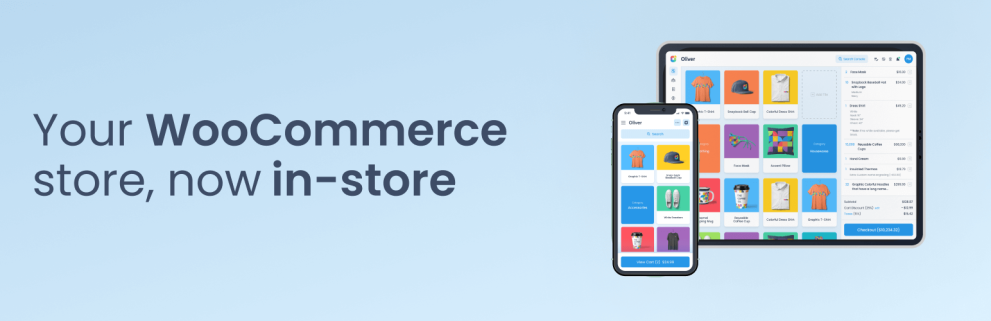
Oliver POS
Overview
Oliver POS offers a modern POS interface with real-time syncing and mobile support.
Features
Multi-device support
Real-time inventory updates
Supports multiple stores
Simple checkout interface
Pros and Cons
Pros:
User-friendly
Works on tablets and mobile
Good for multi-location stores
Cons:
Free version lacks some advanced reporting
Limited payment options
Ideal For
Retailers who need flexibility with devices and store locations.
Zettle POS Integration
Overview
Zettle POS Integration connects your WordPress store with Zettle by PayPal, a popular card reader and POS system.
Features
Sync products and orders with Zettle
Accept card payments easily
Automatic sales tracking
Pros and Cons
Pros:
Secure and reliable
Supports card payments
Easy integration
Cons:
Requires Zettle account
Not fully standalone
Ideal For
Businesses that rely on card payments and want Zettle’s ecosystem.
FooSales
Overview
FooSales is a feature-rich POS plugin with a mobile-first approach for WooCommerce stores.
Features
Mobile-friendly
Barcode scanning
Offline mode
Customizable receipts
Pros and Cons
Pros:
Excellent mobile experience
Great for high-volume sales
Works offline
Cons:
Free version is limited
Some features require paid add-ons
Ideal For
Retailers who sell at markets or pop-ups and need mobility.
Jovvie Point of Sale POS for WooCommerce
Overview
Jovvie Point of Sale POS for WooCommerce is a full-featured POS extension built to bring your WooCommerce store offline in-person selling. It syncs your online products, inventory, and customer data in real time so you can sell from any device with ease.
Features
Real-time WooCommerce product & inventory sync
Works on phones, tablets, desktops (web-based)
Stripe Terminal support (card swipe, tap, QR, Apple Pay, Google Pay)
Advanced customer management & history
Multilingual support & employee logins
Reporting & dashboard analytics
Receipt printer support & customer notifications
Pros and Cons
Pros:
Excellent WooCommerce integration with live inventory syncing
Works on multiple devices without special hardware
Strong payment options with Stripe Terminal support
Built-in customer tracking and analytics
Cons:
Still relatively new compared to established POS plugins
Some advanced features (like printing and notifications) may require setup and additional tools
Limited active install base compared to older POS plugins
Ideal For
Retailers and WooCommerce shop owners who want a modern POS that syncs live with their online store, accepts card and digital payments, and runs on any device — without needing dedicated hardware.
Quick Feature Comparison Table
Legend
✔ = Supported (included)
❌ = Not supported
⚠️ = May require paid add-ons or extensions (not always included in the free/core plugin)
| Feature | VitePOS Lite | WePOS | WooCommerce POS | Oliver POS | Zettle POS | FooSales | Jovvie POS |
|---|---|---|---|---|---|---|---|
| Best For | Grocery, Restaurant, Retail | Small retail & WooCommerce stores | WooCommerce-first stores | Multi-store retailers | Card-based sales | Mobile & pop-up stores | WooCommerce retail & in-person |
| Ease of Use | ★★★★★ | ★★★★★ | ★★★★★ | ★★★★★ | ★★★★★ | ★★★★★ | ★★★★★ |
| WooCommerce Sync | ✔ | ✔ | ✔ | ✔ | ⚠ | ✔ | ✔ |
| Offline Mode | ⚠ | ✖ | ⚠ | ⚠ | ✖ | ⚠ | ⚠ |
| Barcode Support | ✔ | ✔ | ✔ | ✖ | ✖ | ✔ | ✔ |
| QR Code Support | ⚠ | ✖ | ✖ | ✖ | ✖ | ✖ | ✖ |
| Lifetime Deal | ✔ | ✖ | ✔ | ✔ | ✖ | ✖ | ✖ |
| Yearly Deal | $79 | Starter $99 | $129 / yr | $49 / yr | £29 | $19/mo | $29 /mo |
| Role Management | ✔ | ⚠ | ✔ | ✔ | ✖ | ⚠ | ⚠ |
| Outlets & Counters | ✔ | ✔ | ✔ | ✔ | ⚠ | ✖ | ⚠ |
| Custom Invoices / Receipts | ✔ | ⚠ | ✔ | ✔ | ✔ | ✔ | ✖ |
| Flexible Login (WP or POS) | ✔ | ⚠ | ✔ | ✔ | ✖ | ✔ | ✖ |
| Barcode Support (Scan) | ✔ | ✔ | ✔ | ✔ | ✔ | ✔ | ✔ |
| Cash Drawer & Hold Cart | ✔ | ⚠ | ✔ | ✔ | ✔ | ✔ | ⚠ |
| Any Language (multi-lingual) | ✔ | ✖ | ✖ | ✖ | ✔ | ✔ | ⚠ |
| Customer Management | ✔ | ✔ | ✔ | ✔ | ✔ | ✔ | ✔ |
| Discounts, Fees & Notes | ✔ | ✔ | ✔ | ✔ | ✔ | ✔ | ⚠ |
| Vendor & Purchase Module | ✔ | ✖ | ⚠ | ✖ | ✖ | ✖ | ✖ |
| Mobile App / Tablet Support | ✔ | ✔ | ✔ | ✔ | ✔ | ✔ | ✔ |
| Desktop App / PWA Support | ✔ | ✔ | ✔ | ✔ | ✖ | ✔ | ✔ |
| Tax Calculation (by location) | ✔ | ⚠ | ⚠ | ✔ | ✔ | ✔ | ⚠ |
| Keyboard Shortcuts | ✔ | ✔ | ⚠ | ✔ | ✖ | ✔ | ✖ |
| Silent Print Support | ⚠ | ⚠ | ⚠ | ✔ | ⚠ | ⚠ | ✖ |
| WooCommerce HPOS (new orders DB) | ✔ | ⚠ | ✔ | ✔ | ✖ | ✔ | ✖ |
| Barcode Generator | ✔ | ✖ | ✔ | ✖ | ✖ | ✖ | ✖ |
| Email Customer Receipts | ⚠ | ✖ | ✔ | ✔ | ✔ | ✔ | ✖ |
| POS URL Customization | ✔ | ✖ | ⚠ | ⚠ | ✖ | ✖ | ✖ |
| Logo/Branding (receipt, theme) | ✔ | ⚠ | ✔ | ✔ | ✔ | ✔ | ✖ |
| Plugin Conflict Bypass | ⚠ | ✖ | ✖ | ✖ | ✖ | ✖ | ✖ |
| End-of-Day Reports | ✔ | ✖ | ✔ | ✔ | ✔ | ✔ | ✖ |
| Cash Withdrawal Support | ⚠ | ✖ | ✔ | ✔ | ✔ | ✔ | ⚠ |
| Drawer Log (cash log) | ✔ | ✖ | ✔ | ✔ | ✔ | ✔ | ✖ |
| GTIN/UPC/EAN/ISBN Support | ✔ | ✔ | ✔ | ⚠ | ✔ | ✔ | ✖ |
| WooCommerce Reporting | ✔ | ✔ | ✔ | ✔ | ✖ | ✔ | ✖ |
| Built‑in Calculator (keyboard) | ✔ | ✔ | ⚠ | ✔ | ⚠ | ✔ | ✖ |
| Product Batch Duration | ✔ | ✖ | ✖ | ✖ | ✖ | ✖ | ✖ |
| Display Items per Row (UI) | ✔ | ✖ | ⚠ | ⚠ | ✖ | ✖ | ✖ |
| Staff/User Management | ✔ | ✔ | ✔ | ✔ | ⚠ | ⚠ | ⚠ |
| Import User Roles from WP | ✔ | ✖ | ✖ | ✖ | ✖ | ✖ | ✖ |
Installation and Setup Tips
Install via WordPress plugin repository
Sync products with WooCommerce
Configure payment gateways
Test a few transactions
Train staff on basic operations
Common Challenges and How to Avoid Them
Syncing issues: Always use a plugin compatible with your WooCommerce version
Slow performance: Limit the number of plugins running simultaneously
Payment errors: Test all gateways before going live
Best Practices for Using POS Plugins
Keep your plugins updated
Regularly back up your database
Use barcode scanners for faster checkout
Monitor inventory to avoid stockouts
Conclusion
Choosing the right free WordPress POS plugin can transform the way you manage your store. From simple setups like VitePOS Lite to mobile-friendly options like FooSales, there’s a solution for every business type. Evaluate your needs, test the plugins, and you’ll find a POS system that saves time, reduces errors, and boosts sales.
FAQs
1. Are free WordPress POS systems reliable for small businesses?
Yes. Most free WordPress POS systems are reliable enough for small to medium-sized businesses. They usually cover essential features like order processing, inventory tracking, and basic reporting, which is sufficient for daily operations.
2. Is it safe to use a POS system built on WordPress?
Yes, as long as your WordPress site is properly secured and kept up to date. Using trusted plugins, secure hosting, and regular backups ensures a safe POS environment.
3. Can a WordPress POS system be used on mobile or tablet devices?
Many WordPress POS systems are designed to work smoothly on tablets and mobile devices. This makes them ideal for retail counters, pop-up shops, and on-the-go sales.
4. Do POS systems require a constant internet connection?
Some POS systems can work offline and sync data once the internet is restored, while others require a live connection. It’s important to choose a POS system based on your store’s connectivity needs.
5. What should I consider before choosing a POS system?
Before selecting a POS system, consider factors like ease of use, inventory management, payment method support, device compatibility, scalability, and whether the free version meets your business needs.
Subscribe
To get news about new releases, Updates, Blog Post, Deals and Discounts
Like this content? Want to share it with others
Appsbd's Other Apps
Vitepos
We've built a fast and easy-to-use Point of Sale system for WooCommerce. It lets you manage your local and online stores in one app, saving you time and money while ensuring a seamless experience for your customers.

Vite Rewards
Vite Rewards is a comprehensive loyalty points plugin designed to incentivize customer engagement and boost sales on your WooCommerce store. With a wide range of features, ViteRewards allows you to reward customers for various actions and interactions, creating a more engaging shopping experience.

Elite Licenser
Elite Licenser is a top WordPress license manager plugin that controls software, plugin, theme, and app activations. Its premium feature protects against unauthorized usage.
Mini Cart Drawer
This plugin adds a customizable mini cart to your WooCommerce site, with an easy control panel and WP Customizer support. It also includes a sale booster that offers dynamic discounts like "Spend $20 more for a $2 discount," encouraging customers to buy more.

Vite Coupon
Vite Coupon is a comprehensive coupon management system designed to simplify the creation, distribution, and tracking of discount coupons for online businesses. This plugin integrates seamlessly with various e-commerce platforms, offering a user-friendly interface and robust features to enhance promotional strategies.

User & Kiosk App
Vitepos User App is an addon that lets customers place orders directly, making shopping and dining faster and more convenient. Guests can scan a table QR code to view menus and order without waiting for staff. Orders are instantly processed by the Vitepos Core App, ensuring smooth workflow. The app also supports kiosk devices for efficient self‑service stations.

Member Area
Support System
Best Support System, Best by name, Best by nature, Best by feature, it is a self-hosted customer support desk software. It handles support tickets, manages email tickets, collects any payment by PayPal.