


Appsbd

WooCommerce seasonal promotion calendar

How to Plan a WooCommerce Seasonal Promotion Calendar for the Next 90 Days
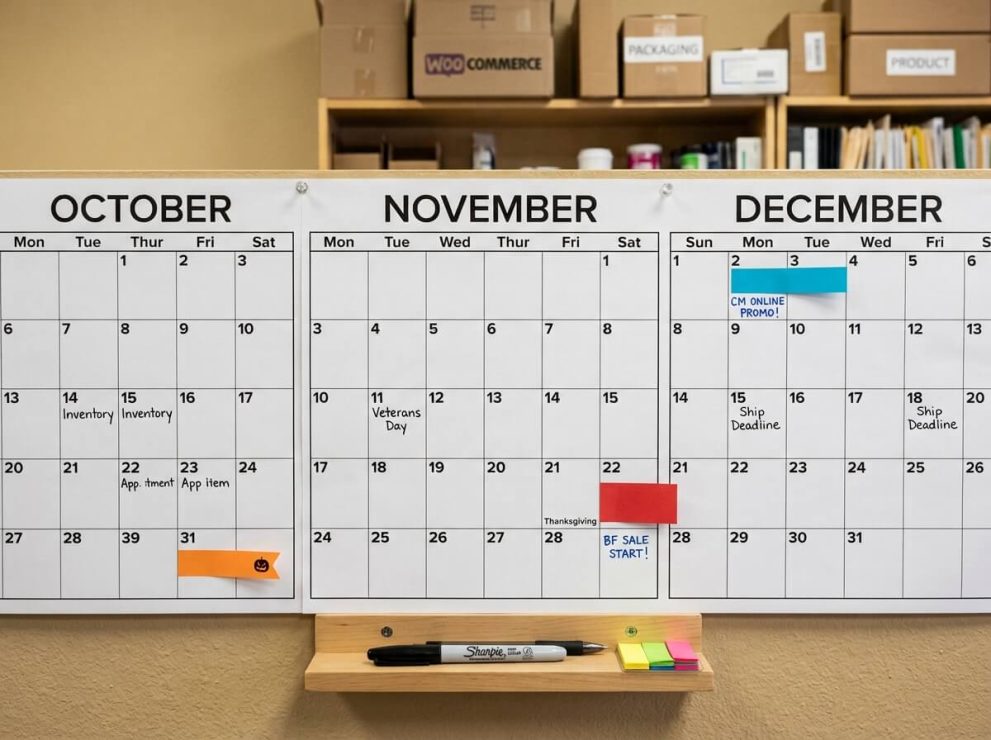
A store that waits until a holiday is a week away is usually already behind. Discounts get decided the night before, coupon codes get typed in a rush, and the store misses the two or three weeks when shoppers are actually comparing options and deciding where to buy. A WooCommerce seasonal promotion calendar solves this by mapping out what will run, when it will start, and how it will be set up, well before the date arrives.

This guide walks through how to build a working WooCommerce seasonal promotion calendar for the next 90 days, using the actual shopping dates that fall in that window, the coupon types that fit each one, and the steps needed to get a WooCommerce store ready without last-minute changes.

What a WooCommerce Seasonal Promotion Calendar Actually Is

A WooCommerce seasonal promotion calendar is a written schedule that lists every sale, discount, or campaign a store plans to run over a set period, along with the setup date, the coupon or discount type, and who is responsible for turning it on and off. It is not a marketing mood board. It is closer to an operations document: dates, product categories, coupon codes, and checklists.

For a WooCommerce store, this matters more than on some other platforms because coupons, product visibility, and pricing rules are all managed inside the same dashboard used for daily order processing. Without a calendar, it is common for a store owner to remember a sale only after the date has already started, or to leave an old coupon active after a promotion should have ended.

A working WooCommerce seasonal promotion calendar typically records:

  • The promotion name and the dates it runs
  • The discount type (percentage off, fixed amount, BOGO, free shipping, bundle)
  • Which products or categories are included
  • The coupon code, if one is used
  • When the coupon or sale price needs to be created in WooCommerce
  • When it needs to be switched off

Why the Next 90 Days Matter for a WooCommerce Store

Today’s date falls in late September 2026, which means the next 90 days run from late September through late December. This particular 90-day window is one of the busiest stretches on the retail calendar because it includes several major shopping dates back to back:

Approximate DateEventRelevance for WooCommerce Stores
Late OctoberHalloweenSeasonal product interest, early Q4 traffic
November 11Singles’ DayOriginated in China, now used internationally for flash discounts
November 27Black FridayThe single highest-traffic shopping day for most WooCommerce stores
November 30Cyber MondayOnline-focused follow-up to Black Friday
Early-to-mid DecemberHoliday gift shopping windowExtended period of gift purchases before shipping cutoffs
Late DecemberPost-Christmas and New Year clearanceInventory clearance and early-year acquisition offers

Because these dates sit close together, a store that treats each one as a separate, last-minute project ends up repeating the same setup work five or six times in two months. A single WooCommerce seasonal promotion calendar, planned once, removes that repetition and gives the team time to prepare product pages, inventory, and coupon logic in advance.

WooCommerce seasonal promotion calendar

Why Stores Struggle to Plan Seasonal Promotions in WooCommerce

The Problem

Many WooCommerce store owners run promotions reactively. A sale is announced a few days before it starts, coupon codes are created the morning of, and by the time the campaign is live, there has been no time to test it, promote it through email, or make sure old coupons have expired.

Why It Happens

This usually comes down to a few recurring patterns:

  1. No shared calendar. Marketing, inventory, and store management decisions happen in separate conversations instead of one reference document.
  2. Coupon creation is treated as a same-day task. WooCommerce’s native coupon tool is built for one-off codes, not for planning a sequence of offers weeks in advance.
  3. Manual coupon codes are hard to reuse. Store owners often duplicate an old coupon, forget to change the dates, and end up with two active discounts stacking unintentionally.
  4. No clear end date. A coupon left active after a sale is supposed to end quietly erodes margin until someone notices.

Common Causes, Summarized

  • Underestimating how long product images, descriptions, and stock levels take to prepare for a sale
  • Relying on memory instead of a written seasonal promotion calendar
  • Running every promotion type (percentage off, BOGO, bundle) through separate manual processes
  • Not testing a coupon before the promotion goes live

How to Diagnose the Problem in Your Own Store

A quick way to check whether a store needs a WooCommerce seasonal promotion calendar is to look at the last two sales that were run and ask:

  • Was the coupon code created and tested more than 3 days before the sale started?
  • Did the sale end on the date it was supposed to, without manual intervention?
  • Was there a written record of which products were included?

If the answer to any of these is no, a structured calendar will likely save time on the next campaign.

Building the 90-Day WooCommerce Seasonal Promotion Calendar

The next section breaks the 90-day period into four planning blocks. Each block lists what to prepare and roughly when to prepare it, so the calendar can be built once and referred back to throughout the quarter.

Block 1: Weeks 1–2 — Audit and Setup

Before adding a single date to the calendar, take stock of what already exists in the store.

  • List every coupon currently active in WooCommerce (Marketing → Coupons) and note its expiry date.
  • Review which product categories historically get the most traffic during Q4.
  • Decide on a naming convention for coupon codes (for example, BF26-20 for a 20% Black Friday 2026 code) so codes stay easy to track across the quarter.
  • Confirm stock levels for any product expected to sell heavily during Black Friday or the holiday gift period.

Block 2: Weeks 3–5 — Halloween and Early Q4 Offers

Halloween-adjacent promotions are usually smaller in scope than Black Friday but act as a useful test run for the bigger campaigns ahead. This is a good point in the WooCommerce seasonal promotion calendar to test:

  • A single, low-risk coupon code
  • Any planned changes to the cart or checkout experience
  • Email or notification tools that will be used again in November

Block 3: Weeks 6–10 — Singles’ Day, Black Friday, and Cyber Monday

This is the highest-traffic stretch inside the 90-day window and deserves the most detailed entries in the seasonal promotion calendar.

A practical breakdown for this block:

  1. Two weeks before Black Friday: finalize which products are included, set draft coupon codes, and confirm stock.
  2. One week before: test each coupon on a staging or test order to confirm the discount calculates correctly, especially for BOGO or bundle-style offers.
  3. Black Friday (Nov 27) and Cyber Monday (Nov 30): monitor coupon usage and inventory in real time; have a plan for what happens if a product sells out mid-sale.
  4. The Monday after: deactivate expired coupons and review which offers performed best, so the data can inform the December campaign.

Block 4: Weeks 11–13 — Holiday Gift Season and Year-End Clearance

The final stretch of the 90 days covers general holiday shopping and, toward the end of December, clearance and early-year offers. Typical entries here include:

  • A gift-focused bundle or free-shipping threshold running through mid-December
  • A shipping cutoff notice so customers know the last order date for holiday delivery
  • A short clearance sale in the final week of December for slow-moving stock

Coupon and Discount Types Worth Including in a WooCommerce Seasonal Promotion Calendar

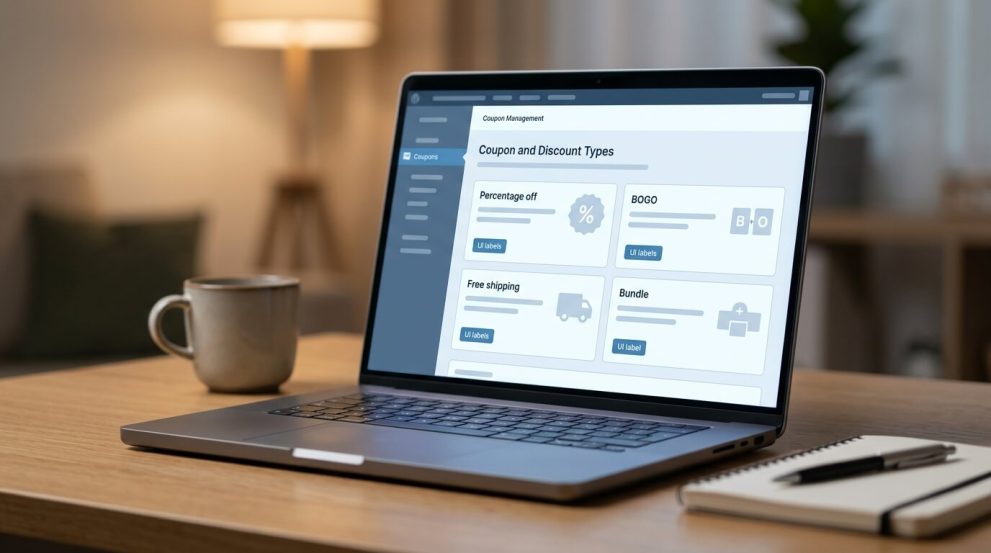
WooCommerce supports several discount structures natively, and a well-planned calendar usually mixes more than one type across the quarter rather than repeating the same flat percentage-off code every time.

  • Percentage discounts — simple and familiar, useful for site-wide Black Friday offers.
  • Fixed-amount discounts — useful on higher-ticket items where a percentage might look too small or too large.
  • Buy One Get One (BOGO) — effective for moving paired or complementary products.
  • Free shipping thresholds — often more persuasive than a small percentage discount during the gift-shopping period.
  • Bundle-style offers (buy two, get one; buy many, get many) — useful for clearance stock at the end of December.

Native WooCommerce coupons can handle percentage and fixed discounts well, but stacking multiple offer types, applying time-based scheduling, or running BOGO-style logic across a full quarter usually requires more planning than the default coupon screen supports on its own.

WooCommerce seasonal promotion calendar

A Product-Based Way to Manage the Calendar: Vite Coupon

For stores that plan to run several different offer types across a 90-day window — a percentage-off Halloween code, a BOGO for Black Friday, a bundle deal in December — creating and tracking each one manually inside WooCommerce’s default coupon screen adds up to a lot of repeated, error-prone work.

Vite Coupon is a coupon management plugin built for WooCommerce (and for stores that also run Vitepos at a physical counter) that supports the discount types a seasonal calendar is likely to need in one place: percentage and fixed discounts, BOGO, Buy Two Get One, Buy One Get Two, Buy Many Get Many, and conditional discounts based on rules like minimum spend or selected products. It also includes a scheduler, which lets a coupon be set up in advance with a defined start and end date and time, so a Black Friday code can be created in November and left to activate and expire on its own rather than requiring someone to switch it on and off manually.

For a store following a WooCommerce seasonal promotion calendar with several offers planned across October, November, and December, this scheduling feature directly addresses the “coupon left active by mistake” problem described earlier: once a coupon’s end date is set, it stops applying on its own. Vite Coupon also supports URL-based coupons, which can be useful for email or social campaigns tied to a specific date on the calendar, since the discount applies when a customer clicks a link rather than requiring them to type a code at checkout.

Because Vite Coupon works alongside WooCommerce’s own default coupon system rather than replacing it, a store can continue using simple built-in percentage or fixed coupons for smaller promotions and reserve the plugin’s additional coupon types for the more complex offers on the calendar, such as a Black Friday BOGO or a December bundle deal.

Step-by-Step: Setting Up One Promotion on the Calendar

Using Black Friday as the example, here is a practical sequence for taking one entry on a WooCommerce seasonal promotion calendar from plan to live coupon.

  1. Confirm the offer type and dates. Decide whether the Black Friday promotion is a site-wide percentage discount, a BOGO on selected categories, or both.
  2. List included and excluded products. Note any items that should be excluded, such as products already on clearance.
  3. Create the coupon code using the naming convention agreed on in Block 1 (for example, BF26-BOGO).
  4. Set the schedule. If using a plugin like Vite Coupon, set the exact start and end date and time so the coupon activates and expires automatically, without a manual switch-on step.
  5. Test the coupon on a sample cart to confirm the discount is applied correctly, especially for BOGO or bundle logic.
  6. Prepare supporting content — banners, product page notes, or email copy referencing the sale dates.
  7. Go live and monitor. Check coupon usage and stock levels during the first hours of the sale.
  8. Review after the sale ends. Note which products and offer types performed best, and record that in the calendar for next year’s planning.
How to Plan a WooCommerce Seasonal Promotion Calendar for the Next 90 Days - 03Store owner following checklist 20260921145947
 

Common Mistakes When Planning a WooCommerce Seasonal Promotion Calendar

  • Running too many overlapping coupons. If a site-wide code and a category-specific code are both active at once, customers may be able to combine or confuse them, depending on how WooCommerce’s coupon restrictions are configured.
  • Forgetting to set an end date. A coupon without a scheduled expiry can quietly stay active for weeks after the sale was supposed to end.
  • Not testing before launch. BOGO and bundle-style discounts, in particular, can calculate incorrectly if product exclusions or minimum-quantity rules are not set up correctly.
  • Skipping the post-sale review. Without recording what worked, the same guesswork happens again the following year.
  • Planning discounts without checking stock. A heavily discounted product that sells out on day one of a two-week sale creates a poor customer experience and lost revenue for the rest of the promotion.
  • Ignoring the checkout experience. A promotion only works if customers can find and apply it easily; reviewing cart and checkout flow ahead of a big sale period is part of preparing the calendar, not a separate task. For a closer look at this, see this article on improving the WooCommerce cart experience and reducing checkout friction.

Additional Tips for Running a Smoother Q4

  • Keep the calendar in one shared place. A spreadsheet or shared document that lists dates, coupon codes, and responsible team members prevents miscommunication.
  • Pair promotions with a faster checkout. A discount does less good if customers abandon the cart before completing the order. This guide on reducing checkout drop-offs covers practical steps that pair well with a busy sales period.
  • Check site speed before Black Friday traffic arrives. A slow-loading store loses sales during high-traffic events regardless of how good the discount is; see this WooCommerce performance guide for a starting checklist.
  • Consider a visible mini cart during high-traffic sales. Letting shoppers see what is in their cart, and the discount applied, without leaving the page they are on can reduce friction during a busy sale; this is the kind of feature covered by the Mini Cart Drawer plugin.
  • If selling to international shoppers, review currency display. A shopper who cannot see pricing in their own currency during a big sale is less likely to complete the purchase; the Multi Currency for WooCommerce plugin addresses this by letting customers view prices in their preferred currency.

When to Get Professional or Technical Help

A WooCommerce seasonal promotion calendar can be planned and executed by a single store owner for a small catalog. It is worth bringing in developer or technical support when:

  • The store runs both an online catalog and a physical point-of-sale system and needs the same coupon to apply consistently across both
  • Coupon logic needs to combine several conditions (minimum spend, specific categories, and a time window) that go beyond what the default WooCommerce coupon screen supports
  • A plugin conflict is causing a coupon to calculate incorrectly and the cause is not obvious from the settings screen
  • Site performance issues appear only under the higher traffic of a live sale and need to be diagnosed under load

A Product-Based Way to Manage the Calendar: Vite Coupon

For stores that plan to run several different offer types across a 90-day window — a percentage-off Halloween code, a BOGO for Black Friday, a bundle deal in December — creating and tracking each one manually inside WooCommerce’s default coupon screen adds up to a lot of repeated, error-prone work.

Vite Coupon is a coupon management plugin built for WooCommerce (and for stores that also run Vitepos at a physical counter) that supports the discount types a seasonal calendar is likely to need in one place: percentage and fixed discounts, BOGO, Buy Two Get One, Buy One Get Two, Buy Many Get Many, and conditional discounts based on rules like minimum spend or selected products. It also includes a scheduler, which lets a coupon be set up in advance with a defined start and end date and time, so a Black Friday code can be created in November and left to activate and expire on its own rather than requiring someone to switch it on and off manually.

For a store following a WooCommerce seasonal promotion calendar with several offers planned across October, November, and December, this scheduling feature directly addresses the “coupon left active by mistake” problem described earlier: once a coupon’s end date is set, it stops applying on its own. Vite Coupon also supports URL-based coupons, which can be useful for email or social campaigns tied to a specific date on the calendar, since the discount applies when a customer clicks a link rather than requiring them to type a code at checkout.

Because Vite Coupon works alongside WooCommerce’s own default coupon system rather than replacing it, a store can continue using simple built-in percentage or fixed coupons for smaller promotions and reserve the plugin’s additional coupon types for the more complex offers on the calendar, such as a Black Friday BOGO or a December bundle deal.


For a 90-day period covering Halloween through the December holidays, most stores benefit from starting the calendar at least two to three weeks before the first planned promotion, so there is time to prepare coupon codes, product pages, and stock.

Yes, but it needs careful setup. WooCommerce allows multiple active coupons, and whether they can be combined depends on each coupon’s individual settings. Planning this in the calendar in advance helps avoid unintended stacking.

No. Black Friday is the day after the fourth Thursday of November in the United States (November 27 in 2026), and Cyber Monday is the following Monday (November 30 in 2026). Both shift by a few days each year depending on the calendar.

WooCommerce’s built-in coupon tool supports a start and expiry date for each coupon. For more complex scheduling, such as BOGO offers with a defined activation window, a dedicated coupon plugin such as Vite Coupon adds scheduling and additional offer types on top of the default system.

Confirm it has actually expired in the WooCommerce coupon list, and record how it performed in the seasonal promotion calendar so the data is available when planning the same promotion next year.

Conclusion

A WooCommerce seasonal promotion calendar turns a stretch of the busiest shopping dates of the year into a series of planned, testable steps instead of a string of last-minute decisions. Over the next 90 days, that means mapping out Halloween, Singles’ Day, Black Friday, Cyber Monday, and the December gift and clearance period in one place, deciding which discount type fits each date, and setting up coupons early enough to test them before they go live.

Whether a store sticks with WooCommerce’s built-in coupon tool or adds a plugin like Vite Coupon to manage more complex offer types and scheduling, the underlying habit is the same: write the plan down before the season starts, and review what worked once it ends.

Subscribe

To get news about new releases, Updates, Blog Post, Deals and Discounts

Like this content? Want to share it with others

Appsbd's Other Apps

Vitepos

Vitepos

We've built a fast and easy-to-use Point of Sale system for WooCommerce. It lets you manage your local and online stores in one app, saving you time and money while ensuring a seamless experience for your customers.

Vite Rewards

Vite Rewards

Vite Rewards is a comprehensive loyalty points plugin designed to incentivize customer engagement and boost sales on your WooCommerce store. With a wide range of features, ViteRewards allows you to reward customers for various actions and interactions, creating a more engaging shopping experience.

Elite Licenser

Elite Licenser

Elite Licenser is a top WordPress license manager plugin that controls software, plugin, theme, and app activations. Its premium feature protects against unauthorized usage.

Mini Cart Drawer

Mini Cart Drawer

This plugin adds a customizable mini cart to your WooCommerce site, with an easy control panel and WP Customizer support. It also includes a sale booster that offers dynamic discounts like "Spend $20 more for a $2 discount," encouraging customers to buy more.

Vite Coupon

Vite Coupon

Vite Coupon is a comprehensive coupon management system designed to simplify the creation, distribution, and tracking of discount coupons for online businesses. This plugin integrates seamlessly with various e-commerce platforms, offering a user-friendly interface and robust features to enhance promotional strategies.

User & Kiosk App

User & Kiosk App

Vitepos User App is an addon that lets customers place orders directly, making shopping and dining faster and more convenient. Guests can scan a table QR code to view menus and order without waiting for staff. Orders are instantly processed by the Vitepos Core App, ensuring smooth workflow. The app also supports kiosk devices for efficient self‑service stations.

Member Area

Member Area

Members Area is a private section for registered users to manage licenses and view details. It also supports coupon management on platforms like AppSumo and PitchGround, with tools to create, import, export, and generate unique codes easily.
Support System

Support System

Best Support System, Best by name, Best by nature, Best by feature, it is a self-hosted customer support desk software. It handles support tickets, manages email tickets, collects any payment by PayPal.


Subscribe
Notify of
guest
0 Comments
Oldest
Newest Most Voted
Inline Feedbacks
View all comments

0
Would love your thoughts, please comment.x
()
x