

What Is a Cloud-Based POS System and Why Should You Switch?
Written by Md Ferdous Hassan Alin. Posted in POS, WooCommerce, WordPress No Comments
A point of sale system is the software and hardware a business uses to complete a sale. It records the transaction, applies tax, processes payment, and updates inventory. For decades, this software ran on a single computer inside the store. Today, a large share of new POS installations run on a cloud-based POS system instead. This article explains what this kind of system is, how it works, what it costs to run, and why switch to a cloud-based POS system if a business currently relies on an on-premise setup.
What Is a Cloud-Based POS System
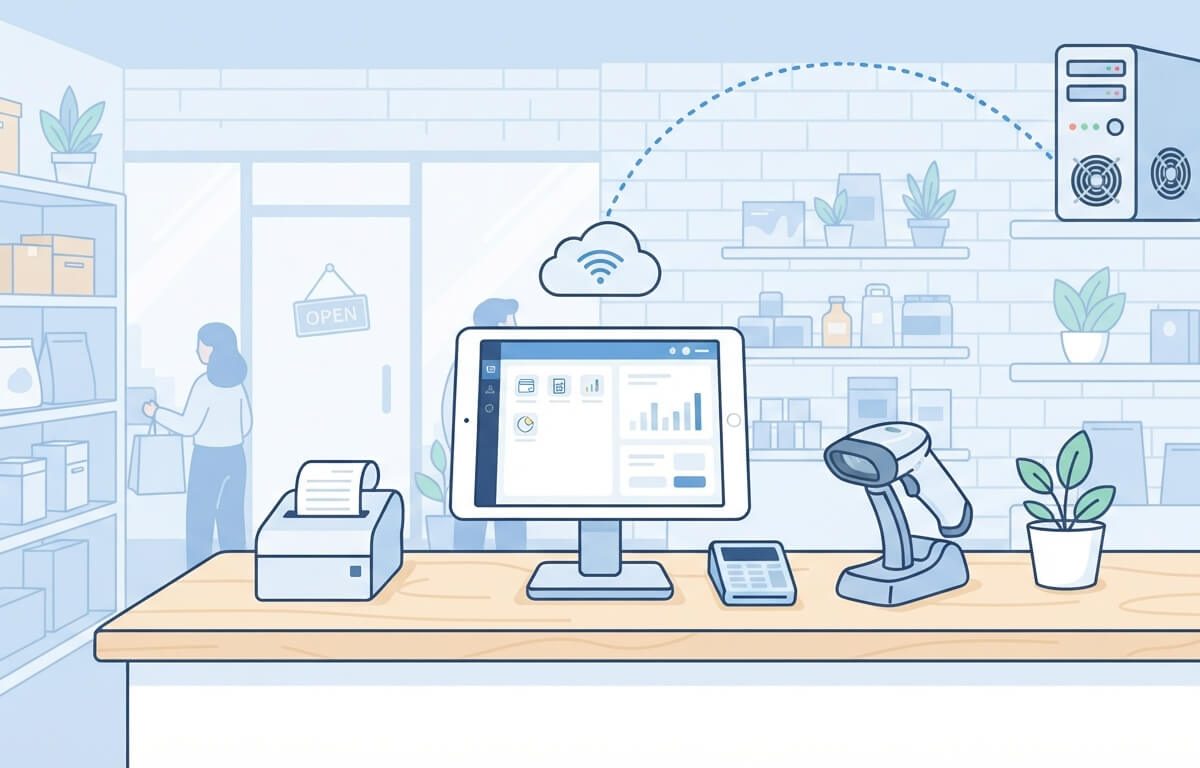
A cloud-based POS system is a point of sale system that stores transaction data, product information, and sales records on remote servers instead of on a local computer inside the store. The cashier still uses a screen at the counter — a tablet, a laptop, or a dedicated terminal — but the software and database run through the internet on a hosted server maintained by the POS provider.
In a traditional POS setup, the software is installed on one machine, and the data lives on that machine’s hard drive. If that computer fails, the store loses access to its sales records unless it has a manual backup. In a cloud POS system, the data is stored off-site, and the same account can be reached from any device with an internet connection and login access.
Because this kind of POS software is not tied to one physical machine, a business can check sales figures from a phone at home, add a product from a laptop, and take payments from a tablet at the counter, all using the same account and the same live data.
How a Cloud-Based POS System Works
This kind of system has three basic parts:
- The front-end interface — the screen the cashier uses to ring up items, apply discounts, and take payment.
- The cloud server — where product data, sales history, and customer records are stored and processed.
- The connected devices — receipt printers, barcode scanners, cash drawers, and card readers linked to the POS terminal.
When a cashier completes a sale, the system sends that transaction to the server over the internet. Stock counts update immediately, and if the business has more than one location, other outlets can see the updated inventory as soon as the sale is processed. This is different from older, offline POS software, where each store location often kept a separate database that had to be merged manually or synced at set times.
Some systems, including WooCommerce POS plugins such as Vitepos, also support offline order processing. If the internet connection drops, the system keeps taking orders locally and syncs the data to the cloud server automatically once the connection is restored. This offline capability matters because a full cloud POS system that stops working without internet access is not practical for many retail counters.
Cloud-Based POS System vs. Traditional POS Software
The main differences between a cloud-based POS system and a traditional, locally installed POS system are:
- Data location: Traditional POS software stores data on the store’s own computer. A cloud POS system stores data on remote servers.
- Access: Traditional POS software can usually only be viewed from the terminal it is installed on. This retail POS system can be accessed from any authorized device with an internet connection.
- Updates: Traditional POS software often requires a technician to install updates manually. This kind of POS software is updated by the provider on the server side, and the update reaches every connected device.
- Multi-location management: Traditional POS setups need separate installations and manual syncing across outlets. It can show sales and stock from multiple outlets in one account.
- Upfront cost: Traditional POS software often requires a one-time license fee and dedicated hardware. A cloud-based POS system is commonly sold as a subscription, though some WooCommerce POS plugins are sold as a one-time purchase with the store’s own hosting covering the server side.
Core Features of a Cloud-Based POS System
Not every system offers the same feature set, but most POS software built for retail or restaurant use includes the following:
Inventory and stock management. This kind of system tracks stock levels as items are sold and can alert staff when stock runs low. Some systems, such as Vitepos, also support transferring stock between outlets and accepting or rejecting incoming stock transfers from a stock receive screen.
Multiple outlet and counter management. A retail POS system built for businesses with more than one location allows a manager to view and manage each outlet separately, assign specific cashiers to specific outlets, and apply different tax rates by location.
Role-based access control. Business owners can set different permission levels for cashiers, managers, and kitchen staff, so each user only sees the parts of the system relevant to their role.
Multiple payment methods. This kind of retail POS system usually supports cash, card, and digital wallet payments, and many WooCommerce POS plugins support payment gateways such as Stripe directly at the counter, along with split payments across more than one method in a single transaction.
Barcode scanning and generation. Most cloud POS software supports handheld barcode scanners, and some systems also let staff scan a barcode using a phone or tablet camera instead of buying a separate scanner device. A number of systems also let a store generate and print its own barcodes for products that do not already have one.
Offline order support. As mentioned above, offline support keeps this point of sale system working during an internet outage and syncs the missed data once the connection returns.
Customizable receipts. Store owners can usually add a logo, adjust the footer message, and choose a paper size — commonly 80mm thermal rolls — for printed receipts.
Restaurant-specific modes. For food service businesses, this kind of point of sale system may offer separate modes for grocery/retail, pay-first restaurant service, and traditional table service with a waiter panel, kitchen panel, and cashier panel that pass order status between staff roles.
Why Should You Switch to a Cloud-Based POS System
1. Access sales data from outside the store
With this retail POS system, an owner does not need to be physically present at the store to check the day’s sales, view stock levels, or confirm that an outlet is open and processing orders. Any device with the login credentials and an internet connection can pull up the same live data.
2. Manage multiple outlets from one account
A business running more than one physical location or combining an online WooCommerce store with a physical counter benefits from a cloud POS system that keeps stock and sales synced between all of them. When a product sells at one outlet, the recorded stock count is available to the others without a manual export or import step.
3. Lower upfront hardware costs
Because this kind of system runs through a browser or a lightweight app rather than dedicated proprietary hardware, businesses can often use existing tablets, laptops, or basic computers as POS terminals, adding only a receipt printer, cash drawer, and barcode scanner as needed. This is one reason a cloud-based POS system for small business owners tends to cost less to set up than a traditional installation.
4. Automatic software updates
The provider updates this kind of POS software on the server side, so store staff do not need to schedule downtime for manual installations. New features and bug fixes reach the account without a visit from a technician.
5. Combine online and in-store sales
For businesses already selling through WooCommerce, a cloud-based POS system for WooCommerce, built as a plugin such as Vitepos, can use the same product catalog, stock counts, and order list for both the website and the physical counter. Online orders placed through the store appear in the POS order list, and staff can update the order status from the same panel used for in-person sales.
6. Continue selling during an internet outage
This kind of system with offline order support allows a store to keep completing sales even when the internet connection drops. The system stores the transactions locally and pushes them to the cloud server automatically once the connection is back, rather than stopping sales altogether.
What to Check Before Switching
Before moving to a cloud-based POS system, a business should confirm the following:
- Internet reliability at the location. This point of sale system depends on an internet connection for live syncing, even if it supports offline order taking. Locations with frequent, extended outages need to confirm the offline mode fits their needs.
- Hardware compatibility. Check whether existing receipt printers, cash drawers, and barcode scanners work with the new system, or whether new hardware is required.
- Payment gateway support. Confirm the point of sale system supports the payment processors already used by the business, such as Stripe, or the specific card terminal in place at the counter.
- Data migration. Ask how existing product data, customer records, and sales history move into the new system, and whether the migration is done automatically or manually.
- Staff training needs. A retail POS system with a straightforward interface reduces the time needed to train new cashiers, but every system has some learning curve for advanced features like stock transfers or role permissions.
- Refund and support terms. Review the provider’s refund window and support availability before committing, since these terms vary between POS providers.
Example: A WooCommerce Cloud-Based POS System
Vitepos is one example of a cloud-based POS system built specifically as a WooCommerce POS plugin. It lets a WordPress and WooCommerce store use the same product catalog and stock data for an online store and a physical counter. Its feature set includes unlimited outlet and counter management, tax settings applied per outlet, offline order processing with automatic sync once the connection returns, barcode scanning through a mobile camera, a barcode generator for products without existing codes, role-based access control, split and single payment options across cash, card, and digital wallets, Stripe and Wallee terminal payment support, and separate modes for grocery/retail stores and different restaurant service styles, each with waiter, kitchen, and cashier panels. Among the benefits of a cloud-based POS system like this is that store owners who already run a WooCommerce site can keep the local counter and the website drawing from one shared inventory rather than two separate systems.
Conclusion
Understanding how a cloud-based POS system works makes it easier to compare it against the on-premise software many stores already use. The main benefits of a cloud-based POS system are remote access to sales data, easier management of multiple outlets, and, for WooCommerce sellers, one shared product catalog between the website and the counter.
Whether a cloud-based POS system for small business use makes sense depends on internet reliability at the location, existing hardware, and how the provider handles data migration and support. For a store already built on WooCommerce, a cloud-based POS system for WooCommerce such as Vitepos is one option to evaluate directly against the store’s current setup before deciding why switch to a cloud-based POS system makes sense for that specific business.
This kind of system stores data on the provider’s servers rather than on a single in-store computer. Data safety depends on the specific provider’s security practices, including encryption and access controls, so it is worth checking a provider’s security documentation before switching.
Some include offline order support, which lets the system keep processing sales locally during an outage and sync the data automatically once the internet connection returns. Not every cloud POS system includes this feature, so it should be confirmed before purchase.
Pricing depends on the provider. Some are sold as a monthly subscription, while others, including WooCommerce POS plugins, are sold as a one-time purchase, with server costs covered by the store’s existing web hosting.
A cloud-based POS system built as a plugin for a platform like WooCommerce can share the same product catalog, stock levels, and order list between the website and the physical counter, so an online order and an in-store sale draw from the same inventory record.
At minimum, a cloud-based POS system needs a device with a screen and internet access, such as a tablet or laptop. Most stores add a receipt printer, a cash drawer, and a barcode scanner, though some systems also support scanning barcodes through a device’s built-in camera.
Subscribe
To get news about new releases, Updates, Blog Post, Deals and Discounts