
WordPress 7.1 Roadmap: What’s Coming in the Next Release
Written by Md Ferdous Hassan Alin. Posted in WordPress No Comments
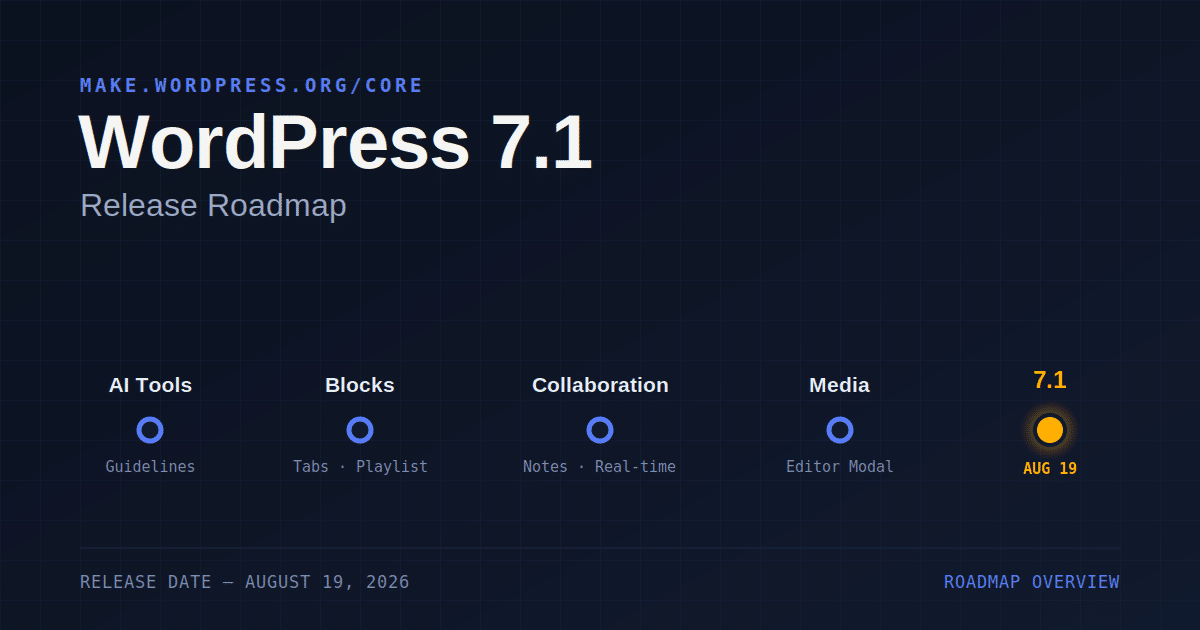
WordPress 7.1 is scheduled for release on August 19, 2026. The WordPress core team published the roadmap for this release on June 19, 2026, on the Make WordPress Core blog, and it has been updated since with small clarifications. This roadmap post lists planned work across several areas: AI tooling, admin interface changes, developer APIs, blocks, collaboration features, customization options, media handling, and performance. The team notes that everything listed is being actively worked on, but not every item is guaranteed to ship in the final release.
This article goes through the main items on the release roadmap, organized the same way the original post organizes them, with added context on what each change means for site owners, editors, and developers.
WordPress 7.1 Release Date and Overview
The WordPress 7.1 release date is set for August 19, 2026. According to the roadmap, the update focuses on two broad themes: improving how people work together inside WordPress, and adding new functionality that extends what the software can do. On the collaboration side, the Notes feature gains suggestion mode and emoji reactions, making asynchronous feedback in the editor more interactive. Real-time collaboration also continues as a focus area, though the roadmap states that a few strategic decisions about how it will work are still open.
On the styling side, this release adds new options for responsive styling and pseudo-state styling in the Site Editor. Both have been requested by users for some time, and both let people apply this kind of styling without writing custom CSS. A new Guidelines feature is also part of the release. It gives site owners a structured way to record editorial rules, such as brand voice or content standards, and connect those rules to AI tools used inside WordPress.
Several smaller interface changes are also part of the update. These include a way to see when a block is inheriting its styling from a global setting, a new Identity section in the Site Editor for site title, tagline, logo, and favicon, a reorganized command palette that shows recently used commands and suggestions, and a persistent admin bar available inside the block and site editors. Media handling also receives updates, including a new free-form image cropper and client-side improvements that support more image formats.
For developers, this update includes API changes such as expanded Unicode support for email addresses, usernames, and slugs, along with fixes and additions across several existing APIs. The release also includes smaller additions such as an “On This Day” dashboard widget, a set of new blocks, and general writing flow improvements.
The roadmap post is explicit that this list represents active work, not a final commitment. Individual items can be delayed or dropped before the release date if they are not ready.
AI Features in WordPress 7.1
AI Client Iteration
The AI Client is the part of WordPress core infrastructure that allows AI functionality to run programmatically inside the software. For WordPress 7.1, the work on the AI Client is aimed at plugin authors rather than end users. Two capabilities are planned: generation streaming, which was first introduced in the PHP AI Client, and embeddings, which represent content as vectors so that a site can support meaning-based search. Alongside these two additions, the roadmap lists ongoing minor fixes intended to improve the reliability of the AI Client.
Connectors Iteration
WordPress 7.0 introduced a framework for registering and managing connections to external services. In WordPress 7.1, this Connectors framework is being extended to support authentication methods beyond API keys. The initial step adds support for username and application password authentication, similar to the existing API key flow. Beyond that, the team is exploring more general, declaratively defined connection forms, which would include fields such as URLs and a default-models dropdown, built using the DataForm API in PHP.
Guidelines Feature
The Guidelines feature was first tested as an experiment in the Gutenberg plugin to collect feedback before being proposed for WordPress core. In WordPress 7.1, Guidelines lets users define writing and content standards that connect to AI tooling inside WordPress, with the ability to import and export guidelines between sites. The stated purpose is to give WordPress a persistent, structured way to record editorial rules and brand voice that both human editors and AI tools can reference. Comments on the original roadmap post note that the underlying design for this feature may shift, since a separate merge proposal describes it as part of a broader “Knowledge” concept rather than a standalone Guidelines feature.
Admin Interface Changes in WordPress 7.1
Command Palette Reorganization
The command palette in WordPress 7.1 groups results into sections for recent, suggested, and matching commands. The list of recently used commands is saved to user preferences, so it carries over between sessions. The visual design of the results list has also been updated to make it easier to scan.
Admin Color Scheme in the Site Editor
Previously, the Site Editor sidebar and shell used a fixed dark background regardless of the admin color scheme a user selected. In WordPress 7.1, the Site Editor follows the admin color scheme set by the user, so the editor’s appearance matches the rest of the WordPress admin area.
DataViews and DataForms Updates
WordPress 7.1 continues migrating DataViews to the newer Design System primitives. Quick Edit is being consolidated with the editor inspector so that editing a post’s details works the same way in both places. The DataForm API is gaining new capability, including the ability to disable individual controls. The Site Editor’s Pages, Templates, and Patterns screens are also becoming more extensible through a new server-side REST endpoint that lets plugin authors register their own view and form configurations.
Dedicated Identity Section
The release adds a Design → Identity screen that brings a site’s core identity settings into one place. This includes an inline media editor for logo and favicon, along with fields for site title and tagline. The goal stated in the roadmap is to make these settings easier to find without requiring users to dig through templates or Settings pages.
Design System Work
Work on the shared component library, wordpress/ui, and its underlying theming system continues in this release. One specific change is that ThemeProvider is being moved from an experimental to a stable, public API. The roadmap also lists the finalizing of public token names, including renames for background, foreground, and stroke, along with new theme-customization tokens for corner radius and element sizing. Parts of the editor interface are also adopting improved components, including flyout menus for transforms, style variations, and block ellipsis and transform menus.
On This Day Dashboard Widget
The update adds an “On This Day” widget to the dashboard. It resurfaces content published on the same date in previous years, a feature the roadmap describes as common across other platforms.
Persistent Admin Bar Across Editors
This update brings the admin bar into the Site Editor and Block Editor consistently, an update the roadmap refers to informally as the “omnibar.” This had previously been tested as an experiment in Gutenberg. Along with making the admin bar available across editors, the design removes the “Howdy” greeting, replaces the home icon with the site icon, changes the profile avatar shape from a square to a circle, and replaces the legacy Dashicons icon font with SVG icons from the wordpress/icons library throughout the admin bar.
Revisions Iterations
WordPress 7.0 introduced visual revisions. In this release, the feature is being refined with a spark line view in the scrubbing toolbar to visualize the history of changes, along with persistent URLs that allow sharing a link to a specific revision.
API Changes in WordPress 7.1
Abilities API
The Abilities API gives developers and AI tools a structured way to query what a WordPress site is capable of doing. In this version, this includes improved querying and filtering, along with a curated set of core abilities covering site settings, current-user information management, and general site awareness.
Block Bindings
Block Bindings in the release gains support for binding list-item blocks and inner blocks, extending which parts of a page’s content can connect to dynamic data sources.
Enforced Iframed Editor
The post editor in WordPress has been moving toward running entirely inside an iframe, which isolates the editing canvas from admin styles and allows viewport-relative units and media queries to work correctly against the canvas. Currently, the editor still falls back to a non-iframed mode when a block using Block API version 2 or lower is present. In this release, iframing is enforced for block-based themes, with plans to extend this to all themes in a later release. Blocks need to be built on Block API version 3 to work correctly in the iframed editor, and a migration guide is available for developers who need to update older blocks.
Extended Unicode Support
The update works on broadening Unicode support for email addresses. This centers on allowing WordPress to store Unicode email addresses, so that functions such as is_email(), sanitize_email(), and antispambot() can be extended to support non-ASCII addresses. This change is intended to better support WordPress users whose names, emails, or usernames are not written in ASCII characters.
React 19 Upgrade
This update includes work to upgrade from React 18 to React 19. This upgrade is first being merged into the Gutenberg plugin, with an eventual path into WordPress core. The React 19 upgrade includes new APIs, updated TypeScript types, and changed behaviors, and the roadmap encourages plugin and theme developers to test their code against it ahead of time using the Gutenberg plugin’s experiments page.
New Blocks and Block Improvements in WordPress 7.1
Icon API Expansion
WordPress 7.0 introduced the foundation of the SVG Icon API, including an icon registry, a REST endpoint, and the core Icon block. This release opens the API to third parties with new public functions such as register_icon() and unregister_icon(), core-icons theme support, SVG sanitization and namespace validation, and collection support similar to the existing Font Library. The roadmap also mentions a reusable icon picker modal, Icon block enhancements such as flip and rotate, and the ability to make hardcoded icons in blocks like Navigation, Breadcrumbs, and Details selectable through the Icon API. The core icon set itself is also receiving a visual refresh, with several icons redrawn as stroke-based designs.
Deprecating the Classic Block
As a first step toward making the Classic block and TinyMCE opt-in rather than default, this version plans to deprecate the Classic block. It will no longer appear in the block inserter. The related work focuses on improving migration and conversion paths for existing content that uses the Classic block.
New Core Blocks
The release adds several new blocks to core:
- A Playlist block, with waveform audio visualization.
- A Table of Contents block, which automatically generates navigable links to headings in a piece of content.
- A Tabs block, which organizes content into tabbed panels.
Block Improvements
Along with new blocks, this release includes updates to existing block functionality:
- Gallery block lightbox refinements, including swipe indication and opt-in captions on mobile.
- New block support inside the HTML block, allowing editable blocks within custom HTML.
- A “Mark as decorative” toggle for the Image block, which hides decorative images from screen readers.
- A shortcode transform for the Embed block, so pasting or converting shortcodes creates a proper Embed block.
- Block-specific transforms for the Shortcode block when text matches a registered shortcode.
- Background gradient support for the Group block, through a new
background.gradientblock support, currently limited to the Group block.
The roadmap also lists two blocks without an assigned contributor: a Dialog block for transcripts and conversations, and a Marquee block for scrolling, animated content.
Writing Flow and Drag-and-Drop Improvements
The update includes a set of smaller fixes aimed at everyday pain points in the writing experience, including improvements to drag and drop and to multi-selection on touch devices.
Collaboration Features in WordPress 7.1
New Notes Features
Notes in this update gain a range of planned improvements, including notes attached to specific content within a block or across multiple blocks, rich text support inside notes, notifications for replies and follows, emoji reactions, a minified notes view, and an “apply suggestions” feature.
Real-Time Collaboration
Real-time collaboration continues as a focus area in this release, following what the roadmap describes as a significant development effort ahead of the previous release. Two open questions remain: what to include in this release, whether that is the full feature or the underlying architecture, and which storage mechanism to use, based on results from earlier performance testing. A dedicated outreach effort for this release has been set up specifically to support testing of collaborative editing ahead of release.
Customization Changes in WordPress 7.1
Display Inherited Styles
This version explores surfacing which styles a block is inheriting, whether from a theme, a parent block, or global styles, directly in the editor sidebar.
Interactive States Styling
The release adds a standardized way to style interactive states, such as hover, focus, and active, for both Global Styles and individual block instances. This builds on a broader “states” effort within the Site Editor. Custom states, such as styling based on the current menu item, are planned for future releases beyond the update.
Pattern Editing Iterations
WordPress 7.0 changed how patterns are edited, shifting the focus toward content changes rather than exposing every available tool for every block in a pattern. This release continues this work with UX improvements based on feedback, along with bug fixes and general maintenance.
Responsive Styling
Responsive styling for blocks has been requested for some time, and the update is a step toward broader support. Building on the same style states mechanism used for interactive states, this feature lets users define how a block looks at different screen sizes without writing custom CSS. It applies to both global styles and individual block instances.
Viewport Breakpoint Customization
This update adds theme-configurable breakpoints defined in theme.json, building on the earlier ability to hide or show blocks based on viewport size.
Media Handling in WordPress 7.1
Client-Side Media Iterations
Client-side media processing, which was delayed from WordPress 7.0, continues in this release. Planned work includes HEIC image support, Ultra HDR support, GIF-to-video conversion, more resilient uploads that retry on failure and resume after a crash or connection loss, video transcoding to web-safe formats, optimization of previously uploaded media, and local poster generation during video upload.
Media Editor Modal
This version replaces the existing inline cropping tool in the Block Editor with a Media editor modal. It keeps the familiar Crop button as an entry point and adds freeform and aspect-ratio cropping, flip, rotation with fine-grained and snap options, and metadata editing in one workflow.
Media Gallery Improvements
Galleries in the release get better handling of the legacy gallery shortcode when converted to blocks, dynamic galleries that can sort or pull media attached to a post, and a faster path in the inserter’s media tab to images already attached to the current post.
Performance Improvements in WordPress 7.1
The main performance change planned for this release involves speculative loading. When both object caching and page caching are detected on a site, the default eagerness setting moves from conservative to moderate, meaning WordPress will prefetch and prerender pages more readily on sites equipped to handle it.
Two additional performance efforts are being developed as feature plugins rather than as part of core in this release. The View Transitions plugin is working on smooth, animated transitions between pages on the front end. The Enhanced Responsive Images plugin is working on more accurate sizes values in block themes, so browsers download appropriately sized images.
Frequently Asked Questions About WordPress 7.1
The update is scheduled for release on August 19, 2026, according to the official roadmap published on the Make WordPress Core blog.
No. The roadmap post states directly that everything listed is being actively pursued, but that doesn’t mean each item will make it into the final release of the update. Some items may be delayed or dropped before the release date.
Guidelines is a new feature that lets site owners define writing and content rules, such as brand voice or editorial standards, and connect them to AI tools inside WordPress. It supports importing and exporting guidelines between sites. Comments on the roadmap post indicate the underlying design may still change, based on a separate merge proposal describing it as part of a broader “Knowledge” concept.
The Classic block is not being removed entirely in this update, but it is being deprecated as a first step toward making the Classic block and TinyMCE opt-in. It will no longer appear in the block inserter.
The roadmap lists three new core blocks for the release: a Playlist block with waveform visualization, a Table of Contents block, and a Tabs block.
No. Real-time collaboration remains a focus area in this release, but the roadmap describes open questions about what will land in this release versus a future one, along with an undecided storage mechanism.
Summary
This update is set for release on August 19, 2026, based on the roadmap published by the WordPress core team. The release spans AI tooling changes such as the AI Client and Connectors work, admin interface updates including a reorganized command palette and a persistent admin bar, developer-facing API changes such as expanded Unicode support and the React 19 upgrade, new blocks and block improvements, collaboration updates to Notes and real-time editing, new styling options for responsive and interactive states, media handling upgrades, and a performance change to speculative loading defaults. As the roadmap notes, this list reflects active work rather than a final commitment, and some items may still change before release day.