

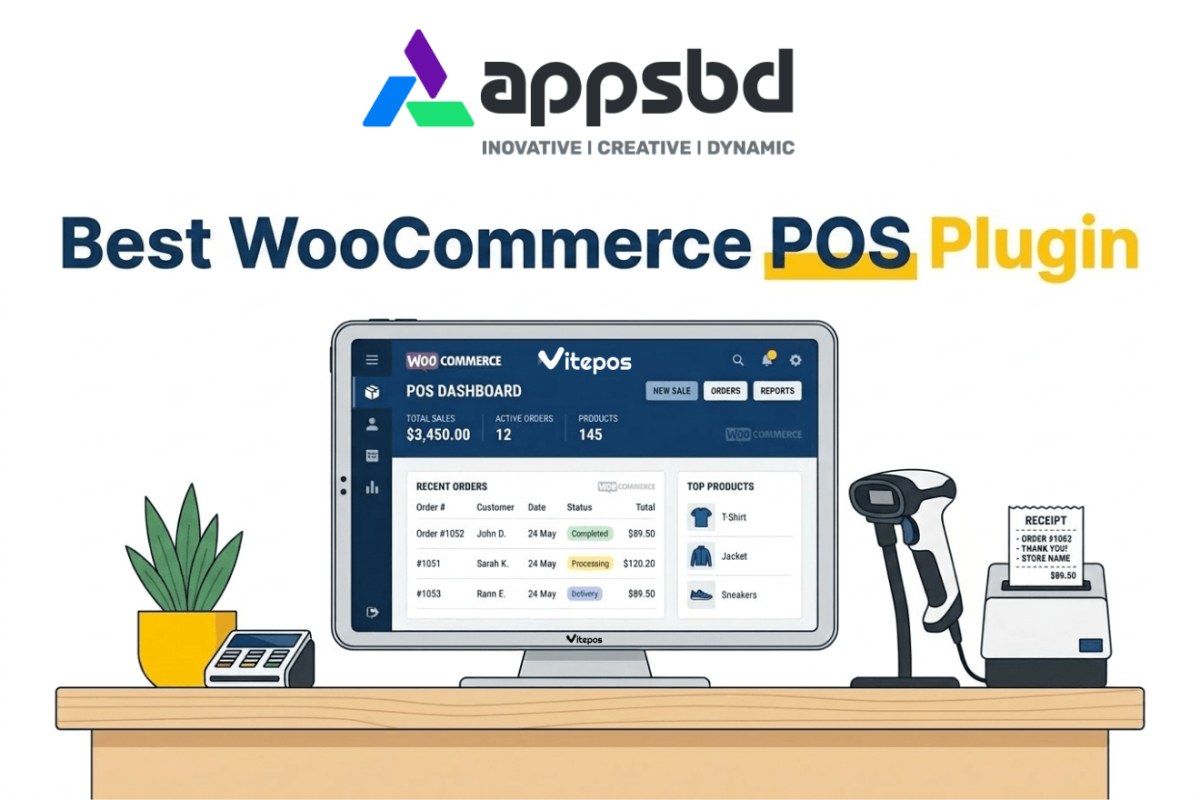
7 Best WooCommerce POS Plugins
Written by Md Ferdous Hassan Alin. Posted in POS, WooCommerce, WordPress No Comments
If you sell products in person — at a retail shop, restaurant, pop-up stall, or market — you need a WooCommerce Point of Sale (POS) plugin. Without one, you’re manually updating stock every time a sale happens, risking overselling online, and losing the ability to track your business accurately.
But here’s the problem: there are dozens of WooCommerce POS plugins out there, and most comparison articles rank the most expensive or most affiliate-friendly option at the top — not the one that’s actually best for your business.
We did something different. We installed and tested 7 WooCommerce POS plugins on real staging sites, simulated checkout flows, checked offline functionality, and evaluated pricing honestly. After all that testing, Vitepos came out as our clear #1 pick.
In this guide you’ll find: honest hands-on reviews, a comparison table, pricing breakdowns, pros/cons for each plugin, and a final decision guide — so you can pick the right WooCommerce POS plugin for your exact situation.
Quick Comparison: Best WooCommerce POS Plugins
# | Plugin | Best For | Pricing | Offline? | Free Plan? |
|---|---|---|---|---|---|
🥇 1 | Vitepos | Best overall – free & offline | $79/yr + Free | ✅ Yes | ✅ Yes |
🥈 2 | YITH Point of Sale | Multi-store & franchise | $179.99/yr | ❌ No | ❌ No |
🥉 3 | Oliver POS | Easiest setup, highest rated | $49/yr + Free | ❌ No | ✅ Yes |
4 | wePOS | Budget-friendly & fast | $99/yr + Free | ❌ No | ✅ Yes |
5 | Hike POS | Multi-store with offline | $59/month | ✅ Yes | ❌ No |
6 | Square for WooCommerce | Free starter, no upfront cost | Free (+ txn fee) | ❌ No | ✅ Yes |
7 | ConnectPOS | Enterprise & deep custom integrations | $49/register | ✅ Yes | ❌ No |
Why Does Your WooCommerce Store Need a POS Plugin?
A WooCommerce POS plugin connects your physical store sales to your online store in real time. Every sale you make in person automatically updates your WooCommerce inventory, customer records, and order history.
Without a POS plugin, you’d have to:
- Manually update stock levels after every in-person sale
- Reconcile two separate systems at the end of every day
- Risk displaying incorrect stock online and losing customer trust
- Miss out on unified sales analytics across both channels
A good WooCommerce POS plugin eliminates all of that. Here’s what you get:
- Real-time inventory sync — Real-time inventory sync across online and physical stores
- Multiple payment methods — accept cash, card, digital wallets, and split payments
- Automatic receipts — generate and print receipts automatically without extra software
- Sales analytics — track what’s selling, who’s selling it, and when
- Device-flexible — works on any browser — PC, tablet, or iPad — no expensive hardware required
- Offline mode — continue making sales even without internet connectivity
How We Tested These WooCommerce POS Plugins
We didn’t just browse feature lists and plugin pages. We installed each plugin on a live WooCommerce staging site and ran it through a series of real-world scenarios.
Here’s exactly what we evaluated:
- Ease of installation and onboarding — how long does setup take?
- Interface speed — how fast does the checkout screen respond under load?
- Inventory sync — does stock update accurately and immediately in WooCommerce?
- Offline mode — does the plugin actually work without internet, and does it sync properly when reconnected?
- Hardware compatibility — printers, barcode scanners, cash drawers
- Multi-location support — can you run multiple stores and registers?
- Pricing fairness — what do you actually get in the free vs. paid plans?
- Support quality — documentation, response time, community
We also analysed real user reviews from WordPress.org, Trustpilot, and user communities to catch issues that don’t show up in short-term testing.
1. Vitepos — Best WooCommerce POS Plugin Overall (Free + Offline)
⭐ Our #1 Pick Best for: Small to medium WooCommerce retailers, restaurants, and multi-outlet stores Price: Free plan available | Pro from $79/year Offline: ✅ Yes — works without internet, auto-syncs when reconnected Free plan: ✅ Yes — full core POS features at no cost Why #1: Only plugin that combines a free plan + offline support + multiple POS modes |
What is Vitepos?
Vitepos is a dedicated WooCommerce POS plugin that lets you run your physical store and WooCommerce online store from a single unified system. Unlike many competitors, it was built specifically for WooCommerce — not ported from another platform — which means the integration is deep and reliable.
It’s also the only major WooCommerce POS plugin that combines three important things: a genuinely useful free plan, full offline functionality, and multiple store-type modes. That combination is why it earns our top spot.
Vitepos POS Modes
One thing that sets Vitepos apart is that it offers three different POS modes depending on your business type:
- Grocery / Retail mode — standard product scan and checkout flow
- Restaurant mode (Pay First) — customers pay before food is prepared (fast food, cafes)
- Restaurant mode (Traditional) — customers order first, pay at the end of the meal
Most WooCommerce POS plugins are designed purely for retail. Vitepos covers both retail and food service out of the box, with no extra cost.
Key Features of Vitepos
- Offline support — take payments without internet, all data syncs automatically when you’re back online
- Barcode scanning — scan products for instant lookup and faster checkout
- Split payments — let customers pay part cash, part card in a single transaction
- Multi-outlet inventory management — transfer stock between stores, add new products from vendors
- Hold orders — pause a transaction, serve another customer, then return to it
- Custom discounts and fees — apply per-item or cart-level discounts
- Invoice and receipt generation — create, print, and manage invoices from the POS screen
- Detailed sales history — access full transaction records per outlet
- Color themes — customize the POS interface to match your branding
- Customer management — add customer details to orders for loyalty tracking
- Multiple cashier logins — assign separate credentials per staff member
Vitepos Pricing
- Free Plan: Full core POS for a single outlet — no credit card required
- Pro Plan: $79/year — multi-outlet support, advanced reporting, stock transfers, priority support
Compared to competitors charging $179–$720/year for similar features, Vitepos Pro is exceptional value.
Pros & Cons
✅ Pros | ❌ Cons |
|
|
💡 Who Should Use Vitepos? → Small and medium retailers who want a free WooCommerce POS that works offline → Restaurant or café owners who need table/order management → Businesses in locations with unreliable internet → Store owners who want to manage multiple outlets without paying $600+/year → Anyone who wants to try a WooCommerce POS risk-free before committing |
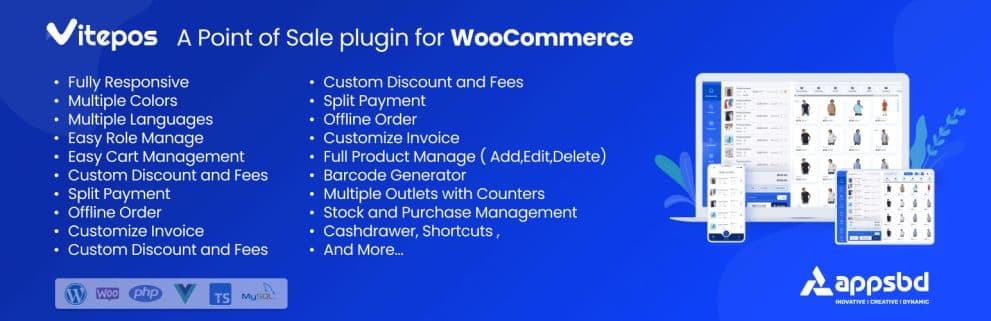
2. YITH Point of Sale for WooCommerce — Best for Multi-Store Franchises
📌 At a Glance Best for: Franchises, chains, and businesses with multiple physical locations Price: $179.99/year (premium only) Offline: ❌ No Free plan: ❌ No |
What is YITH POS?
YITH Point of Sale for WooCommerce is a premium plugin from YITH, one of the most established WooCommerce plugin developers. It transforms your WooCommerce store into a full-featured point of sale system with unlimited stores, unlimited registers, and strong analytics.
During testing, we found the dashboard particularly impressive. You can see revenue broken down by terminal, by cashier, by payment method, and by time period — all from a single screen. For franchise operators or multi-store managers, this level of visibility is genuinely useful.
Key Features
- Unlimited stores and POS registers — no per-location fees
- Advanced analytics dashboard — sales by terminal, cashier, payment type, time period
- Full product sync — inventory, orders, and customer data kept in sync across all locations
- Cashier management — assign staff to specific registers with individual logins
- Split payments — allow customers to pay with multiple methods in one order
- Branded receipt design — add your logo and custom fields to receipts
- Real-time inventory updates — prevent overselling automatically
- Browser-based — works on any device without a dedicated app
- Barcode scanning — fast product lookup at checkout
Pricing
- $179.99/year — premium only, no free plan
Pros & Cons
✅ Pros | ❌ Cons |
|
|
Bottom line: YITH POS is a powerful premium tool for businesses managing multiple locations. But it costs more than twice what Vitepos Pro costs, has no free plan, and doesn’t work offline. For most single-store businesses, Vitepos is the better choice.
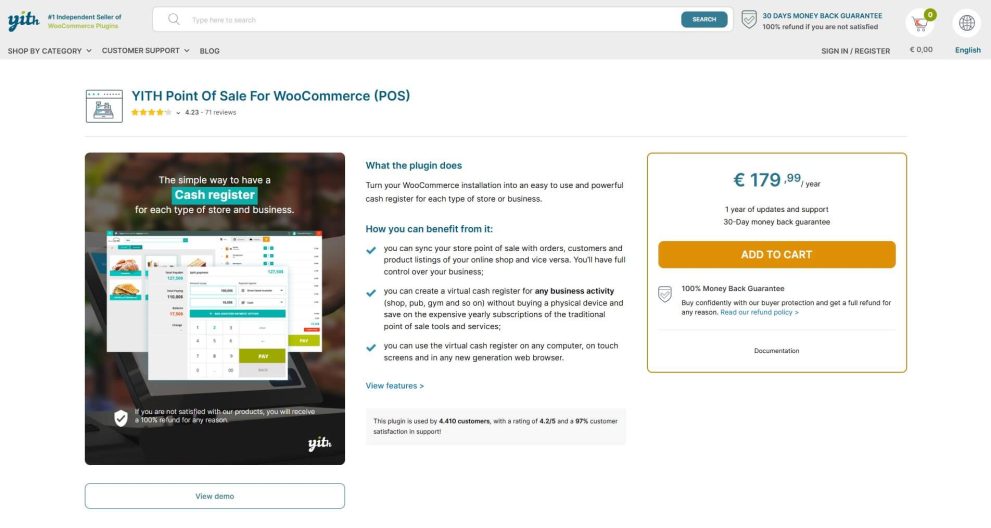
3. Oliver POS — Highest Rated & Easiest to Set Up
📌 At a Glance Best for: Beginners who want the fastest setup Price: Free plan available | Paid from $49/year Offline: ❌ No Free plan: ✅ Yes Rating: 4.8/5 stars on WordPress.org (highest-rated WooCommerce POS plugin) |
What is Oliver POS?
Oliver POS is the highest-rated WooCommerce POS plugin in the WordPress Plugin Directory with a 4.8-star average rating. It’s designed for simplicity — you can go from installation to your first sale in under 10 minutes.
In our testing, Oliver POS had the most polished onboarding flow of any plugin we reviewed. Setup wizards guide you through connecting WooCommerce, configuring your register, and processing your first test transaction with minimal friction.
Key Features
- One-click WooCommerce sync — products, inventory, customers, and orders
- Works in any browser and has native apps for iPad and Android tablets
- Hardware support — you can purchase registers, tablet stands, scanners, cash drawers, and receipt printers directly from Oliver
- Cashier performance monitoring — see which staff members are making the most sales
- Barcode scanning for fast checkout
- Customer lookup — view purchase history, store credit, and lifetime spend per customer
- Unified order view — see all incoming online and in-person orders from one dashboard
- Role-based access — limit what cashiers can view or modify
Pricing
- Free: Core POS for one register
- Paid plans from $49/year for advanced features and additional registers
Pros & Cons
✅ Pros | ❌ Cons |
|
|
Bottom line: Oliver POS is the best choice if you want to get started quickly and care about interface quality. But it lacks offline support, which is a dealbreaker for stores with unreliable internet. In that case, Vitepos is a better fit.
4. wePOS — Best Budget-Friendly WooCommerce POS
📌 At a Glance Best for: Store owners who need a simple, fast, affordable POS Price: Free plan | Pro from $99/year Offline: ❌ No Free plan: ✅ Yes (cash payments only) |
What is wePOS?
wePOS is a lightweight, fast WooCommerce POS plugin developed by weDevs. It prioritises speed and simplicity over a large feature set — which is exactly what some store owners want.
In our testing, wePOS loaded noticeably faster than heavier plugins like YITH and ConnectPOS. If you’re running a high-volume retail environment where speed matters more than analytics depth, wePOS is worth considering.
Key Features
- Very fast, lightweight POS interface
- Barcode scanner support for rapid product lookup
- Customizable receipt design and print support
- Individual cashier login credentials
- Basic WooCommerce product and order sync
What wePOS Does NOT Include
It’s equally important to know what’s missing. wePOS does not offer:
- Offline support
- Gift cards
- Direct hardware integration (cash drawers)
- Daily sales reports per cashier
- Barcode generation
- UI customization
Credit card payments require manually entering the order reference number — there’s no direct payment terminal integration.
Pricing
- Free: Cash payments only
- Pro: $99/year — card payment support, multiple outlets, more features
Pros & Cons
✅ Pros | ❌ Cons |
|
|
Bottom line: wePOS suits stores that prioritize speed over features. But at $99/year vs Vitepos Pro at $79/year — and with fewer features — it’s harder to recommend unless you specifically need the weDevs ecosystem.
5. Hike POS — Best for Multi-Store Operations with Offline Support
📌 At a Glance Best for: Multi-location retailers needing offline support and rich integrations Price: From $59/month (no free plan) Offline: ✅ Yes Free plan: ❌ No (14-day trial available) |
What is Hike POS?
Hike POS is a cloud-based retail POS system that offers a WooCommerce integration. Unlike plugin-first solutions, Hike is a standalone POS platform that connects to WooCommerce — which means it offers more third-party integrations but also costs significantly more.
It works on PCs, Macs, iPads, and Android tablets, and supports a wide range of retail hardware out of the box.
Key Features
- Offline mode — continue selling without internet, auto-sync when reconnected
- WooCommerce sync — inventory, orders, and customer data kept in sync
- Rich third-party integrations — Xero, MYOB, QuickBooks, Mailchimp, Amazon
- Multiple payment options — PayPal, Square, Afterpay, Tyro, and more
- Multi-store support
- Advanced retail features — lay-by sales, returns, refunds, gift cards, credit notes
- 14-day free trial
Pricing
- Solo: $59/month (1 register, 1 location)
- Multi-outlet: Higher pricing — contact Hike for quotes
At $59/month ($708/year), Hike POS is by far the most expensive option in this list. Vitepos Pro delivers offline support and multi-outlet capability for $79/year — nearly 90% less.
Pros & Cons
✅ Pros | ❌ Cons |
|
|
Bottom line: Hike POS is a strong product, but the price makes it hard to justify for most WooCommerce store owners. Vitepos offers offline support and multi-outlet capability for a fraction of the cost.

6. Square for WooCommerce — Best Free Starter Option
📌 At a Glance Best for: Beginners wanting a free, zero-setup POS payment solution Price: Free (transaction fees apply — varies by country) Offline: ❌ No Free plan: ✅ Yes (no monthly fee) Note: Only available in US, UK, Canada, Australia, Japan, Ireland, France, Spain |
What is Square for WooCommerce?
Square for WooCommerce is a free WooCommerce extension that connects your store to Square’s payment platform. It allows you to accept card payments and digital wallets both online and in person — with no monthly fee, only per-transaction fees.
This makes it an attractive starting point for businesses that want to accept in-person card payments without committing to a monthly subscription.
Key Features
- Accept all major credit and debit cards
- Apple Pay and Google Pay support
- Automatic product and payment sync between Square and WooCommerce
- Fraud protection using machine learning
- Dedicated dispute management team
- Save customer payment methods for faster repeat purchases
Pricing
- No monthly fee
- Transaction fees apply: 2.6% + $0.10 per in-person transaction (US rate — varies by country)
Important: While there’s no monthly fee, transaction fees can add up quickly. A store doing $20,000/month in sales pays ~$530/month in Square transaction fees — compared to $6.58/month for Vitepos Pro.
Pros & Cons
✅ Pros | ❌ Cons |
|
|
Bottom line: Square for WooCommerce is the right choice if you want to start accepting in-person card payments with zero upfront cost. But as your sales volume grows, the transaction fees will exceed the cost of a proper POS plugin like Vitepos.

7. ConnectPOS — Best for Enterprise & Complex Custom Integrations
📌 At a Glance Best for: Large enterprises needing custom POS solutions across multiple platforms Price: $49/register/month (enterprise pricing available) Offline: ✅ Yes Free plan: ❌ No (free WooCommerce plugin but service is paid) Used by: ASUS, Trinny London, Eyewa, Lapaire |
What is ConnectPOS?
ConnectPOS is an award-winning, multi-platform POS system that works with WooCommerce, Shopify, Magento, BigCommerce, and more. It’s designed for medium-to-large enterprises that need a POS system to integrate deeply with existing business infrastructure — ERP, CRM, accounting software, and more.
Key Features
- Offline mode — data saved locally, synced when internet restores
- Multi-platform — works on WooCommerce, Shopify, Magento, BigCommerce
- Custom POS solutions — ConnectPOS can build bespoke systems for complex requirements
- ERP, CRM, and accounting integrations
- Real-time data sync between POS and WooCommerce
- Wide hardware compatibility — printers, scanners, terminals, card swipers
- Multi-store and multi-register support
Pricing
- $49/register/month — enterprise pricing available on request
- Pricing is not fully transparent on their website
Pros & Cons
✅ Pros | ❌ Cons |
|
|
Bottom line: ConnectPOS is the right tool if you’re running a medium-to-large operation with complex integration needs. For most WooCommerce retailers, it’s far more than you need — and far more than you should pay.
How to Set Up Vitepos on Your WooCommerce Store (Step by Step)
Setting up Vitepos is straightforward. Here’s how to go from installation to your first sale:
- Install Vitepos — Go to WordPress dashboard → Plugins → Add New → Search ‘Vitepos’ → Install & Activate
- Connect WooCommerce — Vitepos automatically detects your WooCommerce setup. Your products and inventory import instantly.
- Choose your POS mode — Select Retail, Restaurant (Pay First), or Restaurant (Traditional) from the settings.
- Set up your outlet — Configure your store name, address, tax settings, and payment methods.
- Add cashier accounts — Create individual logins for each staff member.
- Connect hardware (optional) — Plug in a barcode scanner or receipt printer if you have one.
- Open the POS — Click the Vitepos icon in your WP menu, log in as a cashier, and start selling.
Total setup time: approximately 5–10 minutes for most stores.
Which WooCommerce POS Plugin Should You Choose? (Decision Guide)
Here’s a quick decision framework based on your situation:
Your Situation | Best Choice |
|---|---|
Best overall, free, works offline | 🥇 Vitepos (Free or $79/yr) |
I run a restaurant or café | 🥇 Vitepos (Restaurant mode built in) |
I need offline support on a budget | 🥇 Vitepos ($79/yr) |
I manage 5+ locations / franchise | YITH POS ($179.99/yr) or Hike POS |
I want the easiest possible setup | 🥇 Vitepos or Oliver POS (free plan available) |
I want to start for free, single store | 🥇 Vitepos Free or Oliver POS Free |
I need no monthly fees, just card payments | Square for WooCommerce (free + txn fees) |
I’m an enterprise with complex ERP/CRM needs | ConnectPOS ($49/register/month) |
Frequently Asked Questions About WooCommerce POS Plugins
No. If you sell exclusively online, you don’t need a POS plugin. POS plugins are only needed when customers pay you in person — at a physical store, market stall, restaurant, or similar location.
Vitepos offers the most complete free WooCommerce POS experience. The free plan includes core POS functionality, offline support, barcode scanning, and receipt printing. Oliver POS also has a free plan, though it lacks offline capability.
Three plugins in our list work offline: Vitepos, Hike POS, and ConnectPOS. Of these, Vitepos is the most affordable (free plan available, Pro at $79/year). All three automatically sync transaction data to WooCommerce when the internet connection is restored.
Yes. Most WooCommerce POS plugins are browser-based and work on any device — iPad, Android tablet, laptop, or desktop. Oliver POS also has dedicated native apps for iOS and Android. Vitepos runs in any mobile browser and is optimized for tablet use.
When a sale is made through the POS, the plugin sends the order data directly to WooCommerce and reduces the stock count in real time. This prevents overselling online and ensures your physical and digital inventory stay accurate at all times.
Yes. Vitepos Pro, YITH POS, Hike POS, and ConnectPOS all support multiple locations. Vitepos Pro ($79/year) and YITH POS ($179.99/year) are the most WooCommerce-native solutions for multi-outlet management.
For most stores, yes. Vitepos offers offline support (YITH does not), has a free plan (YITH does not), and costs $79/year vs $179.99/year. The only scenario where YITH POS wins is if you need very detailed per-cashier analytics and don’t need offline capability.
Most WooCommerce POS plugins support USB and Bluetooth barcode scanners, thermal receipt printers, and cash drawers. Oliver POS sells hardware bundles directly. For Vitepos, you can use any standard POS hardware — look for ESC/POS compatible printers and standard USB/Bluetooth scanners.
Conclusion: The Best WooCommerce POS Plugin in 2025
After testing 7 WooCommerce POS plugins thoroughly, our verdict is clear: Vitepos is the best WooCommerce POS plugin for most store owners in 2025.
It’s the only plugin in this list that combines:
- A genuinely useful free plan
- Full offline support
- Multiple POS modes (retail and restaurant)
- Deep WooCommerce integration
- Multi-outlet capability at an affordable price ($79/year)
If you have a franchise or chain of stores and need detailed per-terminal analytics, YITH POS is worth considering. If you need offline support with rich third-party integrations and have a larger budget, look at Hike POS. For enterprise-grade custom solutions, ConnectPOS is the answer.
But for the vast majority of WooCommerce store owners — from single boutiques to growing multi-outlet businesses — Vitepos delivers the best combination of features, reliability, and value.
Subscribe
To get news about new releases, Updates, Blog Post, Deals and Discounts