Appsbd

Vite Coupon voucher system

Vite Coupon Adds a Voucher System: What’s New in Version 2.0.0

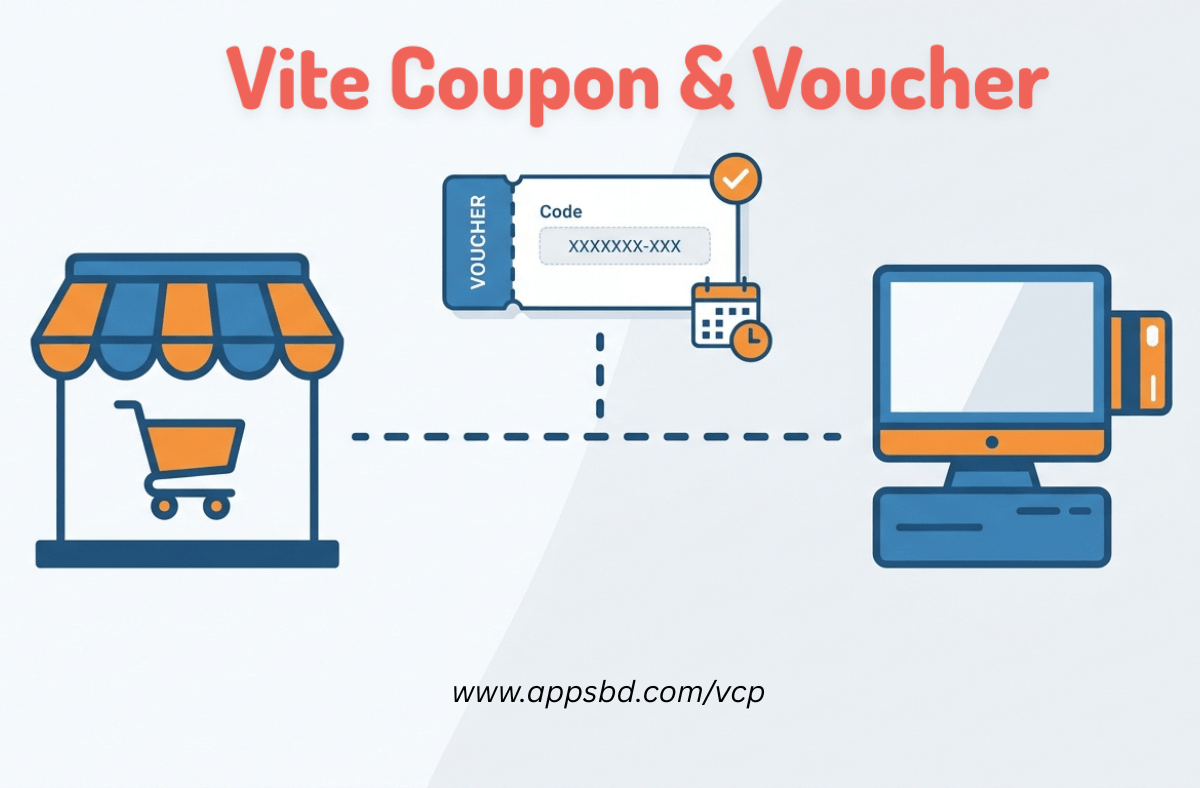
Vite Coupon, a coupon management plugin for WooCommerce and Vitepos built by Appsbd, released version 2.0.0 on July 1, 2026. The main addition in this release is a voucher system. Before this update, Vite Coupon handled discount coupons in several formats, including percentage discounts, fixed discounts, BOGO (Buy One Get One), BNGN (Buy Many Get Many), URL coupons, and scheduled coupons. The voucher system is a separate module inside the same plugin, built for a different use case: single-use, trackable value codes rather than repeatable percentage or product-based discount rules.

This post explains what the Vite Coupon voucher system is, what it does, how it differs from the existing coupon modules, and how store owners can use it across both WooCommerce and Vitepos.

The information in this post is based on Vite Coupon’s public product page and its published changelog. Some interface details may change as Appsbd updates its documentation, so store owners planning to rely on the voucher system for a live campaign should check the plugin’s current settings screen directly before launch.

What Is Vite Coupon

Vite Coupon is a WordPress coupon plugin available for WordPress and WooCommerce stores, and it also functions as a voucher management plugin since the 2.0.0 release. It also connects with Vitepos, a point-of-sale plugin made by the same developer, Appsbd. The plugin lets store owners create and manage several coupon types from one dashboard, including:

  • Percentage and fixed discounts
  • BOGO (Buy One Get One)
  • BTGO (Buy Two Get One)
  • BOGT (Buy One Get Two)
  • BNGN (Buy Many Get Many)
  • URL-based coupons
  • Scheduled coupons tied to specific days or times
  • Conditional discounts based on rules such as minimum spend or selected products

Vite Coupon has a free (Lite) version distributed through the WordPress plugin repository, along with paid tiers for single-site and multi-site (developer) use. The Lite plan covers unlimited sites with WooCommerce and Vitepos integration, BOGO, BNGN, UP TO discounts, URL coupons, the scheduler, and conditional rules. The paid plans (Single and Developer, offered as yearly or lifetime licenses) cover the same feature set but are scoped to a fixed number of sites — one site for the Single plan and five sites for the Developer plan. The plugin integrates with WooCommerce’s default coupon system as well, so store owners are not limited to Vite Coupon’s own coupon types.

With version 2.0.0, Appsbd added a voucher module to this existing coupon toolkit. The Vite Coupon voucher system sits alongside the coupon modules rather than replacing them. Store owners who have used Vite Coupon only for discount coupons up to now will find the voucher module as a new, separate section in the dashboard rather than a change to how their current coupons behave.

Coupons vs. Vouchers in Vite Coupon

Before going into features, it helps to separate two terms that Vite Coupon now supports side by side: coupons and vouchers.

In Vite Coupon, coupons are rule-based. A coupon code such as “SUMMER20” can be used by many customers, multiple times (depending on settings), and it applies a discount based on a rule — a percentage off, a fixed amount off, a BOGO offer, and so on.

Vouchers, as added in the Vite Coupon voucher system, work differently. A voucher is typically issued as a single-use code tied to a specific value or offer, meant for one redemption per code. This is closer to how a gift voucher or a promotional voucher works in physical retail — one code, one use, then it is marked as used.

This distinction matters for how a store owner decides which module to use. Recurring seasonal discounts fit the coupon modules. One-time promotional codes, referral rewards, or individually issued vouchers fit the new Vite Coupon voucher system.

There is also a practical difference in how each type is generated. Coupon codes in Vite Coupon are usually created once and shared broadly — through a newsletter, a banner, or a social media post — so many different customers can use the same code (subject to any usage limit set by the store owner). Vouchers, on the other hand, are typically generated per recipient. A store owner issuing ten vouchers to ten different customers would, in most cases, generate ten separate voucher codes rather than one shared code, since each voucher is meant for single-use redemption and needs its own entry in the voucher log.

This per-recipient structure is also why the voucher module includes email delivery as a built-in option. A coupon meant for public distribution does not usually need to be emailed to each customer individually, but a voucher — being tied to one redemption — often does.

Features of the Vite Coupon Voucher System

As a WooCommerce voucher plugin feature set, the additions in version 2.0.0 cover the full lifecycle of a voucher: creation, delivery, restriction, redemption across channels, and status tracking.

Based on the 2.0.0 changelog and the features added alongside it, the Vite Coupon voucher system includes the following:

1. Single-Use Voucher Code

Each voucher generated through the Vite Coupon voucher system is designed for one-time redemption. Once a customer uses the voucher code, the code is recorded as used and cannot be applied again by default. This is different from many coupon codes in the plugin, which can be reused unless a usage limit is set.

A single-use voucher code is useful for cases where a business wants to guarantee that a promotional code is redeemed only once — for example, a specific customer’s refund credit, a one-time referral reward, or a gift code sent to an individual.

This differs from how many WooCommerce coupon codes are set up. A typical WooCommerce coupon can be configured with a usage limit, but by default, many store owners leave coupons open for multiple uses across different customers, since coupons are often meant for general promotions. The single-use voucher code approach in the Vite Coupon voucher system assumes the opposite default: one code, one redemption, unless the store owner deliberately changes that behavior. This makes the voucher module a closer fit for cases where reuse of a code would be a problem — such as a refund voucher that should not be claimed twice.

2. Voucher via Email

The Vite Coupon voucher system supports sending vouchers via email. Instead of a store owner manually sharing a code, the plugin can deliver the voucher code directly to a customer’s email address. This is relevant for stores that issue individual vouchers rather than publishing a public discount code.

Voucher via email removes the manual step of copying and sending a code through a separate email client or messaging tool, since the delivery happens from within the plugin’s own workflow.

For a store that issues vouchers regularly — for example, as part of a customer support process or a referral program — this saves time compared to exporting a list of codes and pasting them into a separate email tool. It also keeps the record of who a voucher was sent to closer to the voucher’s entry in the plugin, rather than in a separate email thread that might not be easy to find later.

3. Expiry Date

Each voucher can have its own expiry date. Once the expiry date passes, the voucher code stops working, even if it has not been redeemed. This gives store owners control over how long a voucher offer stays valid, whether that is a few days for a flash promotion or several months for a longer-running voucher.

An expiry date on a voucher is separate from any expiry settings that may apply to the plugin’s coupon modules, since vouchers and coupons are managed in different sections of Vite Coupon.

Setting a voucher expiry date also interacts with the voucher’s status. If a voucher passes its expiry date while still unused, its status can reflect that it is no longer valid, which helps a store owner distinguish between vouchers that are simply unredeemed and vouchers that are unredeemed and expired. This distinction matters for reporting, since a large number of unused-but-expired vouchers may indicate that a promotion was not communicated clearly, while a large number of still-valid unused vouchers may just mean customers have not gotten around to redeeming them yet.

4. Minimum Order Restriction

Vouchers can be restricted to orders above a minimum order value. If a customer’s cart total does not reach the minimum order restriction, the voucher will not apply. This lets store owners set a voucher for a fixed discount or value while still protecting margins on smaller orders.

This restriction works the same way whether the voucher is redeemed through WooCommerce or through Vitepos, since both channels check the cart or order total against the same rule before allowing the voucher to be applied. A store that sets a minimum order restriction on a voucher does not need to configure the rule twice for online and in-store use.

5. Voucher Image Upload

The Vite Coupon voucher system allows a custom image to be uploaded for a voucher. This means a voucher is not limited to a plain text code — it can be presented with a designed image, useful for occasions such as gift vouchers, event promotions, or branded voucher templates that a business wants to send to customers.

Pairing the voucher image upload option with the voucher via email feature means a store can send a customer something closer to a designed gift card rather than a plain line of text with a code on it. For businesses that already produce seasonal graphics — for a holiday sale, an anniversary promotion, or a loyalty reward — this lets that same visual work double as the voucher itself, rather than needing a separate image sent alongside a plain code.

6. Support for Both Online (WooCommerce) and Vitepos

One of the more significant parts of the Vite Coupon voucher system is that it functions as a Vitepos voucher tool as much as a WooCommerce one — vouchers work across both channels the plugin already supports: WooCommerce (online store) and Vitepos (point of sale). A voucher created in the system can be redeemed either through the online checkout or at a physical point-of-sale terminal running Vitepos.

This follows the same integration pattern Vite Coupon already uses for its coupon modules, where a single code can apply in both WooCommerce and Vitepos. Extending that to vouchers means a business with both an online store and a physical location does not need two separate voucher systems.

For businesses without a physical location, this cross-channel support simply is not a factor, and the voucher system works the same way it would for any WooCommerce-only store. For businesses that do run both channels, this is the part of the voucher system most directly tied to daily operations, since staff at a physical counter need a way to check and apply a voucher without switching to a different tool than what they use for regular coupon codes.

7. Partially Used Voucher Status

The Vite Coupon voucher system includes a “partially_used” voucher status. This status applies when a voucher has been used but not fully consumed — for example, if a voucher holds a set value and only part of that value has been applied to an order so far. Rather than marking the voucher as either fully used or fully unused, the partially_used status reflects that some value or usage remains.

This status is one of several voucher states in the system, alongside “used” and “unused” (or their equivalents), which lets store owners see at a glance where each voucher stands.

8. Voucher Log

Every voucher action is recorded in a voucher log. This log tracks redemption activity, including which voucher codes were used, when they were used, and their current status. A voucher log gives a store owner a way to check voucher activity without needing to cross-reference orders manually.


How the Vite Coupon Voucher System Fits Into the Existing Plugin

Vite Coupon’s dashboard is organized into modules. Before version 2.0.0, these modules were: All Coupons, Category, and Settings. Version 2.0.0 adds a fourth module: Vouchers. This keeps the voucher system in its own section rather than mixing it into the coupon list, which makes sense given that vouchers behave differently from coupons in terms of usage rules and redemption tracking.

Store owners who already use Vite Coupon for coupon types like BOGO or percentage discounts do not need to change how those coupons work. The voucher module operates independently, so adding vouchers does not require reconfiguring existing coupon rules.

Setting Up a Voucher in Vite Coupon

While exact screen layouts can change between plugin updates, the general steps for creating a voucher through the Vite Coupon voucher system follow the pattern below:

  1. Go to the Vouchers module inside the Vite Coupon settings in the WordPress dashboard.
  2. Create a new voucher and set its code, either generated automatically or entered manually.
  3. Set the voucher value or discount amount.
  4. Add an expiry date for the voucher.
  5. Set a minimum order restriction if the voucher should only apply above a certain cart value.
  6. Upload a voucher image if the voucher will be sent as a branded or designed voucher.
  7. Choose whether to send the voucher via email to a specific customer.
  8. Save the voucher. It becomes available for redemption in WooCommerce, Vitepos, or both, depending on the store’s setup.

Once issued, the voucher’s status can be tracked in the voucher log, which will show whether it is unused, used, or partially_used.

Each of these steps maps to one of the features listed above, which is part of why the voucher module is organized as a single form rather than several separate settings screens. A store owner creating a voucher for a one-time gift, for instance, would typically fill in the code and value, set an expiry date a few weeks out, skip the minimum order restriction if there isn’t one, upload a voucher image if the gift is meant to look presentable, and send it by email directly to the recipient. A store owner creating a batch of referral vouchers, by contrast, might skip the image upload and rely mainly on the code, value, and expiry date fields, since referral vouchers are often plain text codes rather than designed graphics.

Why a Separate Voucher Module Matters for WooCommerce and Vitepos Stores

Stores that operate both an online shop and a physical location often deal with promotions that need to work in both places. Before a dedicated voucher system, achieving single-use, trackable codes across WooCommerce and Vitepos would typically require combining several separate tools or manually tracking redemption outside the plugin.

By building the voucher system directly into Vite Coupon, redemption data for both channels stays in one place. A voucher issued for online use and one issued for in-store use through Vitepos are both visible in the same voucher log, using the same status system (unused, used, partially_used).

This is relevant for common voucher use cases, such as:

  • Gift vouchers issued for a specific value, redeemable once, in-store or online.
  • Referral rewards sent to a customer’s email as a single-use code.
  • Refund or goodwill vouchers issued by customer support, which need an expiry date and a guarantee that they cannot be reused.
  • Event or seasonal promotional vouchers with a designed image, sent as part of a marketing email.

Each of these scenarios shares a common requirement: the code needs to be traceable to a single recipient or a single redemption event, and it needs a clear end point, whether that is a time limit through the expiry date or a usage limit through the single-use design. The Vite Coupon voucher system addresses both of those requirements directly, which is the main functional gap it fills compared to the plugin’s existing coupon modules.

Coupon Types Already Available in Vite Coupon (For Context)

Since the Vite Coupon voucher system is an addition to an existing coupon plugin, it helps to know what else is already available in Vite Coupon, so the distinction between coupons and vouchers is clear:

  • Percentage and Fixed Discounts – WooCommerce’s default coupon types, supported natively.
  • BOGO (Buy One Get One) – buying one eligible product makes a second one free.
  • BTGO (Buy Two Get One) – buying two eligible items makes a third one free.
  • BOGT (Buy One Get Two) – buying one eligible item provides two free items.
  • BNGN (Buy Many Get Many) – a broader version of the buy/get structure across many products.
  • URL Coupons – coupons that apply automatically when a customer visits a specific link.
  • Scheduler – coupons that are only active during specific days or times.
  • Conditional Discounts – discounts that apply only when defined conditions are met, such as minimum spend or specific products in the cart.

None of these existing coupon types were replaced by the voucher system. The Vite Coupon voucher system is additional functionality layered on top of this coupon set, giving the plugin two distinct promotional tools: rule-based coupons and single-use vouchers.

Vitepos Integration and the Voucher System

Vitepos is a point-of-sale plugin, also developed by Appsbd, designed to work with WooCommerce for in-store sales. Vite Coupon’s existing coupon modules already integrate with Vitepos, allowing a coupon code created in WooCommerce to be applied at checkout on a physical POS terminal.

The voucher system extends this same integration model. A voucher created through the Vite Coupon voucher system can, according to the feature list for this release, be redeemed through both WooCommerce and Vitepos. This means a single voucher — for example, one issued to a customer via email — is not restricted to only the online store or only the physical location.

For multi-location retail businesses already using Vitepos alongside WooCommerce, this keeps voucher redemption consistent across sales channels without requiring separate voucher tracking tools for each channel.

In practice, this matters most at the point of redemption. A cashier working with Vitepos at a physical counter needs a straightforward way to check whether a voucher code a customer presents is valid, unused, and not expired, without needing to log into the WooCommerce backend separately. Since the voucher log is shared across both channels within Vite Coupon, a redemption made through Vitepos is reflected in the same log as one made through the online store, which keeps a single source of truth for voucher status regardless of where a voucher was redeemed.

This is also relevant for businesses that issue vouchers online (through the website or by email) but expect most redemptions to happen in person — a common pattern for restaurants, salons, and other service-based retail that uses WooCommerce mainly for bookings or online orders but still processes most transactions at a physical counter through Vitepos

Tracking Voucher Status: Unused, Used, and Partially Used

The Vite Coupon voucher system tracks voucher status through at least three states:

  • Unused – the voucher has been created but not yet redeemed.
  • Used – the voucher has been fully redeemed.
  • Partially Used – the voucher has been redeemed in part, with remaining value or usage still available.

The partially_used status is specifically relevant for value-based vouchers, where a voucher might hold a set monetary value that a customer does not spend in full during a single transaction. Rather than voiding the remaining balance, the partially_used status keeps the voucher active until its full value is used or it reaches its expiry date.

This status system, combined with the voucher log, gives a store owner a way to audit voucher activity without needing to check individual WooCommerce or Vitepos orders one at a time.

Version History Context

Vite Coupon has had a series of updates since its 1.0.0 release on October 5, 2024, which introduced the original coupon module system, category-based coupons, URL-based activation, and the various BOGO-style offer types. Updates through 2024 and 2025 mostly addressed compatibility issues, translation errors, and minor bug fixes.

Version 2.0.0, released July 1, 2026, is notable because it adds a new module (Vouchers) rather than only fixing existing functionality. The same release also includes a fix for an issue with coupon status behavior related to draft and publish states.

Looking at the changelog as a whole, most releases between 1.0.0 and 2.0.0 were maintenance updates: version 1.0.1 addressed a loadTextDomain notice and translation compatibility with WordPress 6.7; version 1.0.2 resolved product and category conditional issues; version 1.0.3 fixed a compatibility issue tied to an earlier Vite Coupon version; version 1.0.4 and 1.0.8 were minor bug fixes; version 1.0.7 addressed user interface issues, translation errors, and a compatibility problem with Flaycart; and version 1.1.0 fixed the same coupon status (draft and publish) issue that was addressed again in 2.0.0. This pattern suggests that the plugin’s update history, prior to the voucher system, was mostly about stability and compatibility rather than new modules — which makes the addition of an entire voucher module in 2.0.0 a larger change than a typical point release for this plugin.

Who the Vite Coupon Voucher System Is For

The voucher system is relevant to store owners who need single-use, trackable promotional codes rather than open-ended discount rules. This includes:

  • WooCommerce-only stores that want to issue individual gift vouchers or one-time promotional codes to specific customers.
  • Vitepos and WooCommerce stores that need voucher codes to work consistently whether a customer redeems them online or in person.
  • Customer support teams that issue refund or goodwill vouchers and need an expiry date plus a guarantee against reuse.
  • Marketing teams running voucher-based campaigns that benefit from a custom voucher image sent via email.

Stores that only need repeatable, rule-based discounts (like a site-wide 20% off code) may not need the voucher module at all, since the existing coupon types already cover that use case.

It’s also worth noting who the voucher module is less suited for. A store running a broad, public discount campaign — for example, a 15% off code shared on social media for anyone to use during a weekend sale — is still better served by the existing coupon modules, since those are built for shared, repeatable use. Trying to issue individual single-use vouchers to an unknown, open-ended audience would require generating a large number of separate codes, which is more manageable for smaller, targeted lists (such as a customer segment or a set of referral participants) than for a general public promotion.

Limitations to Keep in Mind

Based on the information available at the time of writing, the Vitepos-related voucher documentation on Appsbd’s own product page had not yet been updated to reflect the voucher system in detail — the changelog confirms the addition, but a full breakdown of every configuration option was not published on the main product page as of this writing. Store owners planning to rely heavily on the voucher system, particularly for Vitepos redemption, may want to test the feature directly or wait for updated documentation before deploying it across a live multi-location setup.

Frequently Asked Questions

The Vite Coupon voucher system is a module added in version 2.0.0 of the Vite Coupon plugin. It allows store owners to create single-use voucher codes, separate from the plugin’s existing coupon types, with features like expiry dates, minimum order restrictions, and email delivery.

It was added in version 2.0.0, released on July 1, 2026, according to the plugin’s changelog.


Yes. Coupons in Vite Coupon are generally reusable and rule-based (percentage off, BOGO, and similar). Vouchers are designed as single-use codes, tracked individually with their own status (unused, used, or partially_used).

According to the feature set for this update, vouchers support both WooCommerce (online) and Vitepos (point of sale), so a voucher can be redeemed through either channel.

Yes. Each voucher created through the Vite Coupon voucher system can be assigned its own expiry date, after which the code stops working.

Yes. The minimum order restriction setting means a voucher only applies once a customer’s order reaches a set value.

Yes. Voucher via email lets a store send a voucher code directly to a customer’s email address instead of requiring manual code sharing.

It means the voucher has been redeemed in part but still has remaining value or usage available, rather than being fully consumed in a single transaction.

Yes. The voucher log tracks when vouchers are used, their current status, and related redemption details.

The Vite Coupon product page lists coupon-related features across its Lite, Single, and Developer plans, but detailed voucher-specific plan availability was not listed separately on the main product page at the time of writing. Checking the current pricing page directly is recommended before assuming which plan includes the voucher module.

Yes, based on the feature list for version 2.0.0. Vouchers are built to work through both WooCommerce and Vitepos, so a business with a physical location using Vitepos can accept the same voucher that was issued for online use, and vice versa.

Not exactly. WooCommerce gift cards, where available through separate plugins, are usually a distinct product type purchased by a customer. The Vite Coupon voucher system is a code-based module for issuing single-use vouchers directly from the Vite Coupon dashboard, without requiring a separate gift card product to be set up in the store.

Summary

Vite Coupon’s version 2.0.0 update adds a voucher system to a plugin that already handled several types of WooCommerce and Vitepos coupons. The addition covers single-use voucher codes, email delivery, expiry dates, minimum order restrictions, custom voucher images, cross-channel support for WooCommerce and Vitepos, a partially_used status for value-based redemption, and a voucher log for tracking activity. This gives Vite Coupon users a second, distinct tool for one-time promotional codes alongside its existing rule-based coupon modules.

For store owners already running Vite Coupon, the update does not require any change to existing coupon setups — the voucher module is additive, appearing as a new section in the dashboard. For store owners evaluating Vite Coupon for the first time, the presence of both a coupon system and a voucher system in one plugin means fewer separate tools are needed to cover both repeatable discount codes and individually issued, trackable vouchers, across both an online WooCommerce store and a physical location running Vitepos.

Subscribe

To get news about new releases, Updates, Blog Post, Deals and Discounts

Like this content? Want to share it with others

Appsbd's Other Apps

Vitepos

Vitepos

We've built a fast and easy-to-use Point of Sale system for WooCommerce. It lets you manage your local and online stores in one app, saving you time and money while ensuring a seamless experience for your customers.

Vite Rewards

Vite Rewards

Vite Rewards is a comprehensive loyalty points plugin designed to incentivize customer engagement and boost sales on your WooCommerce store. With a wide range of features, ViteRewards allows you to reward customers for various actions and interactions, creating a more engaging shopping experience.

Elite Licenser

Elite Licenser

Elite Licenser is a top WordPress license manager plugin that controls software, plugin, theme, and app activations. Its premium feature protects against unauthorized usage.

Mini Cart Drawer

Mini Cart Drawer

This plugin adds a customizable mini cart to your WooCommerce site, with an easy control panel and WP Customizer support. It also includes a sale booster that offers dynamic discounts like "Spend $20 more for a $2 discount," encouraging customers to buy more.

Vite Coupon

Vite Coupon

Vite Coupon is a comprehensive coupon management system designed to simplify the creation, distribution, and tracking of discount coupons for online businesses. This plugin integrates seamlessly with various e-commerce platforms, offering a user-friendly interface and robust features to enhance promotional strategies.

User & Kiosk App

User & Kiosk App

Vitepos User App is an addon that lets customers place orders directly, making shopping and dining faster and more convenient. Guests can scan a table QR code to view menus and order without waiting for staff. Orders are instantly processed by the Vitepos Core App, ensuring smooth workflow. The app also supports kiosk devices for efficient self‑service stations.

Member Area

Member Area

Members Area is a private section for registered users to manage licenses and view details. It also supports coupon management on platforms like AppSumo and PitchGround, with tools to create, import, export, and generate unique codes easily.
Support System

Support System

Best Support System, Best by name, Best by nature, Best by feature, it is a self-hosted customer support desk software. It handles support tickets, manages email tickets, collects any payment by PayPal.


Subscribe
Notify of
guest
0 Comments
Oldest
Newest Most Voted
Inline Feedbacks
View all comments

0
Would love your thoughts, please comment.x
()
x