

Big Sale Event Preparation: Boost Sales, Manage Stock & Deliver Better
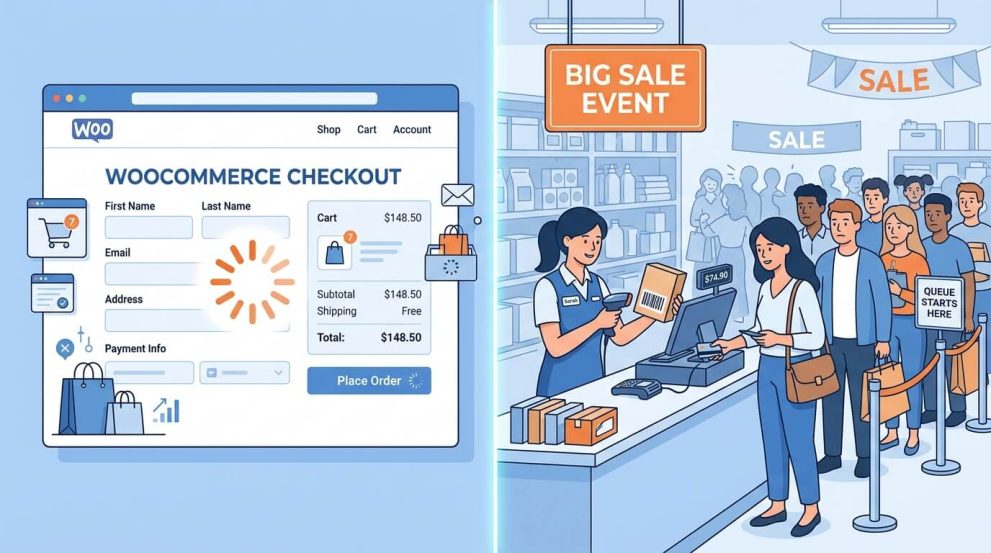
Written by Towhidul Islam. Posted in POS, WooCommerce, WordPress No Comments
A big sale can bring in more orders in a few days than a store normally sees in a month. That is the opportunity. It is also the risk. A site that slows down, a product that runs out mid-sale, or a checkout page that confuses shoppers can undo weeks of marketing effort in a single afternoon.
Sale event preparation is the work that happens before the discount banner goes live: making sure the website can handle traffic, the stock count is accurate, checkout is fast, staff know what to do, and orders actually reach customers on time. This guide walks through what sale event preparation involves, why stores run into trouble without it, and the specific steps to take — whether the store sells only online or also runs a physical counter.
What Sale Event Preparation Actually Covers
Sale event preparation is not a single task. It is a set of checks across different parts of the store that all affect each other. A fast website does not help if the product is out of stock. Accurate stock does not help if checkout is too slow for shoppers to reach payment. The main areas covered by sale event preparation are:
- Website performance— can the site stay fast when visitor numbers spike
- Stock and inventory— is the available quantity accurate across every channel the store sells through
- Checkout and cart experience— how many steps and how much friction stands between “add to cart” and “order placed”
- Staffing and order processing— who handles the extra orders, questions, and packing
- Delivery and fulfillment— can couriers and warehouse capacity absorb the extra volume
- Marketing and communication— are coupons, banners, and customer notifications ready and tested
Treating sale event preparation as a checklist across all six areas, rather than focusing on just marketing or just discounts, is what separates a sale that runs smoothly from one that generates support tickets.
Why a Big Sale Puts Extra Pressure on a Store
Traffic Spikes and Site Performance
A sale campaign usually drives a short burst of visitors rather than a gradual increase. Ad clicks, email blasts, and social posts can all land around the same hour. If the store’s hosting and caching setup was only ever tested against normal daily traffic, that burst can slow down page loads or, in the worst case, take the site offline during the exact hours it needs to be fastest.
Stock Running Out Faster Than Expected
Discounted products sell faster than their regular listings, sometimes by a wide margin. If stock counts are tracked manually, or if a store sells the same product online and at a physical counter without a shared inventory system, it becomes easy to sell more units than actually exist. That leads to canceled orders, refunds, and customers who feel misled by a listing that said “in stock.”
Checkout Becomes a Bottleneck
More visitors means more people reaching the cart and checkout pages at once. A cart page that takes several clicks to open, or a checkout form with unnecessary fields, adds friction that a shopper might tolerate on a normal day but will not tolerate when comparing several sale deals across different tabs.
Staff and Order Processing Get Overwhelmed
A jump in order volume also means a jump in questions, packing work, and order status updates. Without a plan for who handles what during the sale window, a small team can fall behind quickly, and delays in confirming or packing orders show up later as delivery complaints.
Delivery Delays Pile Up
Even when a store handles the online side well, delivery is often the last mile that breaks under sale-event pressure. Courier partners face their own volume spikes across multiple merchants at the same time, so an order placed on day one of the sale might not move as fast as an order placed on a normal Tuesday.
Why These Problems Happen
Most of the issues above trace back to a small number of root causes:
- No load testing before the sale.The site was never checked against a simulated traffic spike, so the first real spike becomes the test.
- Manual or disconnected stock tracking.Stock is updated by hand, or the online store and a physical outlet keep separate counts that are reconciled only at the end of the day.
- A checkout flow designed for normal days.Extra form fields, unnecessary account creation steps, or a cart that requires a full page reload were never a problem at low traffic, but they add up during a sale.
- No staffing plan for the sale window.Regular staffing levels are kept in place, with no extra coverage for the hours the sale is expected to peak.
- No buffer built into delivery promises.The store advertises the same delivery timeline used on a normal day, without accounting for courier partners handling extra volume from many merchants at once.
How to Check If Your Store Is Ready
Before making changes, it helps to run a short readiness check. These questions form the core of any sale event checklist:
- Has the site been tested with a traffic simulation tool, or only with normal day-to-day visits?
- Is the stock count for sale items the same across the online store and any physical outlet, updated in real time?
- How many clicks does it take a shopper to go from a product page to a completed order?
- Is there a written plan for who packs orders, answers messages, and updates order status during the sale?
- Have delivery partners been informed in advance about the expected order volume?
- Are discount codes, banners, and mini cart pop-ups tested on both desktop and mobile before launch?
If more than two of these come back as “no” or “not sure,” that is a sign to start sale event preparation earlier rather than closer to the sale date.
Practical Sale Event Preparation Steps
1. Get Your Website Ready for Traffic
Start with the technical basics: enable full-page and object caching, confirm the hosting plan can scale if traffic exceeds forecasts, and serve images through a content delivery network so they load quickly regardless of visitor location. Deactivate any WordPress plugins that are not needed for the sale, since each active plugin adds some processing overhead. A WooCommerce performance guide is useful here for identifying the specific factors that slow a store down and the order in which to fix them. Run these changes on a staging copy of the site first, then test the live checkout flow a few days before the sale, not the morning of.
2. Manage Stock Across Every Sales Channel
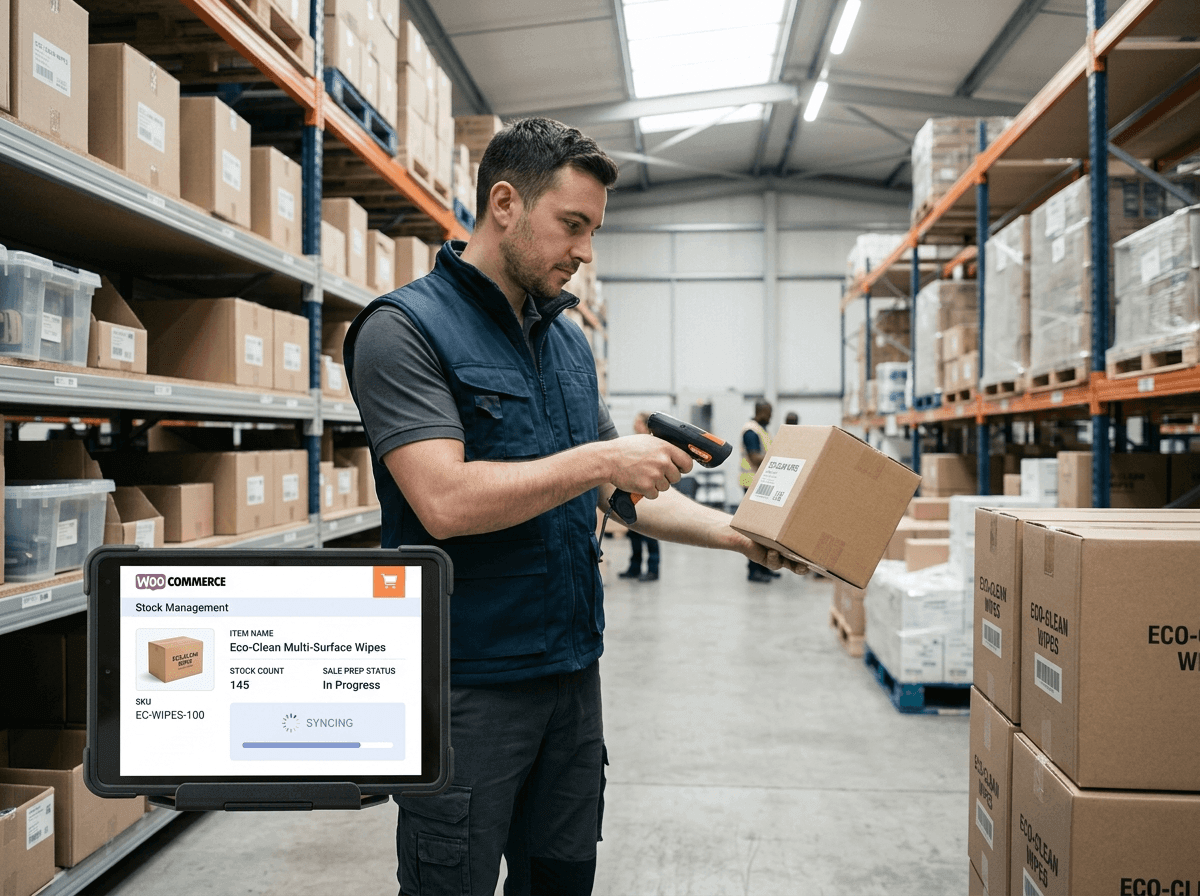
This is where sale event preparation and stock management overlap the most. If a store sells only online, the priority is making sure listed quantities match warehouse counts and that low-stock thresholds are set to stop sales before a product actually hits zero.
If a store also sells at a physical counter, pop-up stall, or multiple outlets, the bigger risk is two systems tracking the same product separately. A customer buys the last unit in-store, but the website still shows it as available, and an online order comes in for a product that no longer exists.
This is the specific problem a point-of-sale system built to share inventory with WooCommerce is meant to solve. VitePOS runs on top of a WooCommerce store and keeps a single stock count between the online store and any number of physical outlets or counters, so a sale recorded at the counter updates the same inventory the website reads from, and vice versa.
It also supports transferring stock between outlets when one location is closer to running out during the sale than another, and it can process sales offline at a busy counter, syncing the data back once the connection returns. None of this replaces good demand forecasting, but it removes the specific failure of two systems disagreeing about how much stock is left. Retail research backs up why this matters during a promotion: one widely cited study of grocery retailers found that out-of-stock rates nea
rly doubled during promotional periods compared with regular days, which lines up with what most store owners experience firsthand during a big sale.
3. Make Checkout and Cart Faster
Cart abandonment is a normal part of online shopping — research from the Baymard Institute puts the average abandonment rate at around 70% across studies going back over a decade. During a sale, though, small pieces of friction matter more, because shoppers are often comparing several deals at once and will not wait through a slow or confusing checkout.
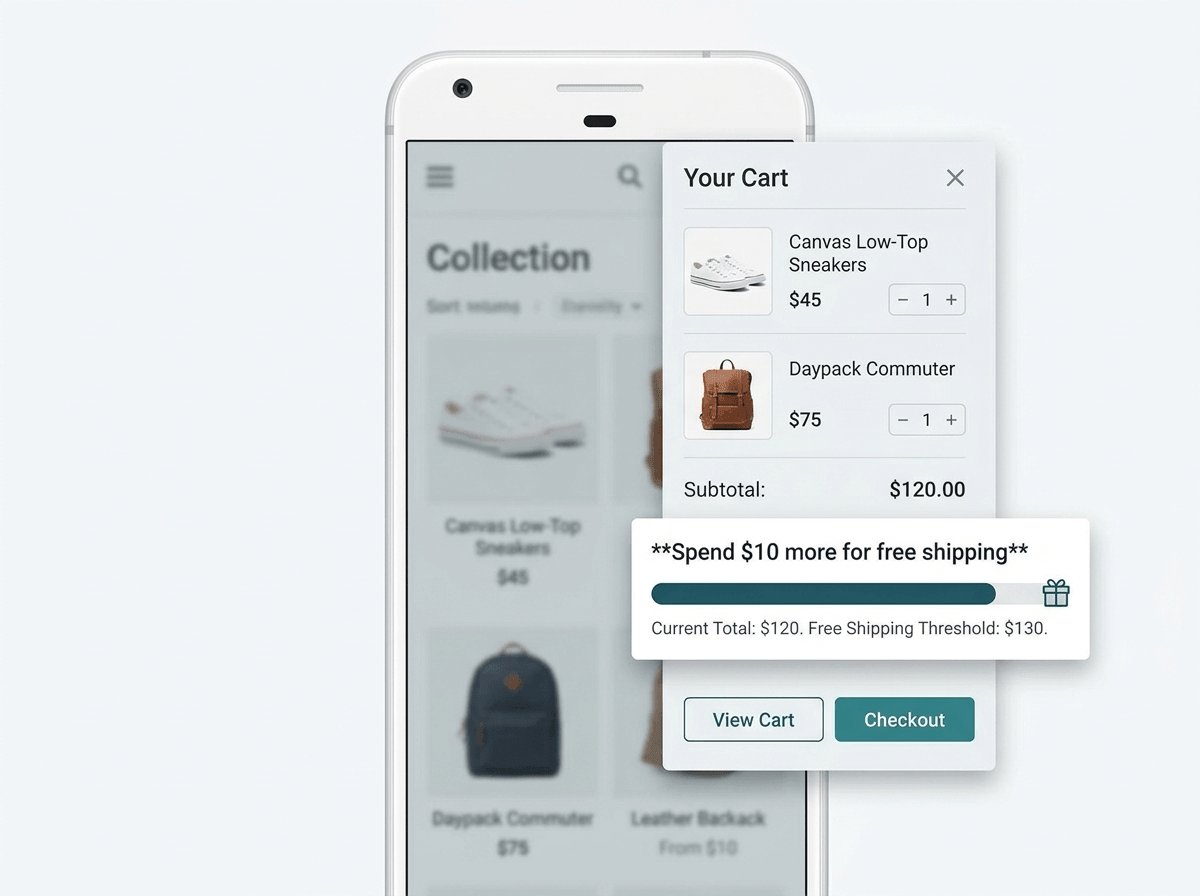
A mini cart that opens as a slide-out drawer, without reloading the page, lets shoppers see what they have added and adjust quantities without losing their place on the product page. This is a small interaction, but it removes one full page load from the path to checkout, which adds up across thousands of visits during a sale. A WooCommerce cart plugin like Mini Cart Drawer also includes a sale booster module that shows a progress bar toward a spending threshold — for example, showing how much more a customer needs to add to their cart to unlock a small discount.
During a sale event, this kind of prompt can nudge the average order value up slightly without requiring a bigger blanket discount. It also displays tax and applied coupons directly inside the cart, so customers see the real total before reaching the checkout page, which reduces the surprise-cost abandonment that shows up in cart research.
For a deeper look at reducing friction beyond the cart itself, a guide on improving the WooCommerce cart experience and one on reducing checkout drop-offs cover the checkout page changes that pair well with a faster cart.
4. Prepare Your Staff and Order Workflow
Write down, in advance, who is responsible for packing orders, who answers customer messages, and who has authority to approve a refund or exchange during the sale window. If the store uses a POS system at a physical counter, role-based access control means a cashier can process sales without also having access to settings or reporting, which keeps the process simple during a rush and reduces mistakes. A short guide on how POS systems reduce human error covers this in more detail for stores that also handle in-person transactions during the sale.
5. Plan Delivery and Fulfillment Ahead
Contact courier or delivery partners before the sale starts, not after orders begin piling up, and ask directly about their capacity for the expected order volume. If the store’s usual delivery estimate is two days, consider whether that promise should be adjusted temporarily during the sale window, and communicate any change clearly on the product and checkout pages rather than leaving customers to find out after ordering. Confirm packaging supplies are stocked ahead of time — running out of boxes or labels mid-sale is a preventable delay.
6. Line Up Marketing and Customer Communication
Test discount codes and any FOMO or notification pop-ups before the sale goes live, on both desktop and mobile. Confirm that any countdown timers or stock-level indicators are pulling accurate, real-time data rather than a static number, since a plugin claiming “only 2 left” on a product that actually has 40 in stock undermines customer trust once noticed.
A Sale Event Preparation Timeline
Spreading the work over several weeks, instead of the final few days, is the difference between a calm sale launch and a rushed one.
Timing | Focus | Key Tasks |
3–4 weeks before | Planning | Confirm sale dates and discounts, forecast demand per product, contact delivery partners |
2 weeks before | Technical readiness | Run a site speed and load check, update stock thresholds, test checkout on staging |
1 week before | Final checks | Confirm stock counts match across online and physical channels, test cart and coupon codes, brief staff on the schedule |
Day of sale | Monitoring | Watch site performance and stock levels in real time, keep a staff member assigned to customer questions |
After the sale | Follow-up | Reconcile stock, review what sold out too fast, follow up with buyers to encourage repeat orders |
A seasonal promotion calendar is useful for planning sale events further in advance rather than reacting a week beforehand each time. Once the sale ends, the work is not quite finished — a guide on turning one-time sale buyers into repeat customers covers how to follow up with the surge of new customers a sale typically brings in.
Common Mistakes to Avoid During Sale Event Preparation
- Testing the site only after the sale has started.By then, any fix competes with live traffic and real orders.
- Trusting a manual stock spreadsheet during high order volume.A spreadsheet updated once every few hours cannot keep pace with a sale-day order rate.
- Adding extra checkout fields “just to collect more data.”Every additional field during a sale is a chance for a shopper to abandon the cart.
- Promising the same delivery timeline as a normal daywithout checking courier capacity first.
- Forgetting to test on mobile.A mini cart, coupon field, or countdown banner that works on desktop can behave differently on a smaller screen.
- Not briefing staff on the discount rules.Confusion at checkout or at the counter about which products qualify for a discount slows down every transaction.
- Turning off stock alerts to “avoid customer disappointment.”Removing a low-stock warning does not fix limited supply — it just delays the moment a customer finds out, usually after paying.
Additional Tips for a Smooth Sale Event
Keep a shortlist of best-selling products from the last sale and prioritize their stock and page-load testing first, since a small number of products usually drive a large share of sale-day traffic. If the store runs a physical outlet alongside the online store, consider putting one staff member in charge of watching shared stock levels specifically, rather than assuming whoever is free will notice a product running low. Finally, keep a simple written log during the sale of anything that goes wrong — a page that loaded slowly, a coupon that did not apply — so the next sale event preparation cycle starts from a shorter list of unresolved issues instead of the same ones.
Frequently Asked Questions
Sale event preparation is the process of getting a store ready — technically and operationally — before a big sale, covering website performance, stock accuracy, checkout speed, staffing, and delivery, so the store can handle a short-term spike in orders without breaking down.
For a sale expected to bring a significant traffic increase, starting three to four weeks ahead allows enough time for site testing, stock forecasting, and staff briefing. Smaller or more frequent sales can work with a shorter one to two week runway.
The main cause of overselling is two separate stock counts — for example, an online store and a physical counter — that are not synced in real time. Using a system that shares inventory across every channel a product is sold through, and setting conservative low-stock thresholds, reduces the risk.
Reduce the number of checkout fields to only what is required, use a mini cart that opens without a full page reload, and display coupon and tax totals inside the cart itself so shoppers see the final price before reaching checkout.
No — a POS system matters mainly for stores that also sell in person, at a counter, stall, or multiple outlets. A store selling exclusively online can focus sale event preparation on site performance, checkout speed, and single-channel stock accuracy instead.
Reconcile final stock counts, review which products sold out faster than expected for future forecasting, and follow up with new customers from the sale through email or offers, since a sale is often a store’s biggest opportunity to convert one-time buyers into repeat customers.
Conclusion
A big sale event rewards preparation more than it rewards the size of the discount itself. A store that tests its site, keeps accurate stock across every channel, simplifies checkout, and briefs its team ahead of time will convert far more of its sale-day traffic into completed, deliverable orders than a store relying on the discount alone to carry the day. Treating sale event preparation as an ongoing checklist — one that gets slightly shorter and more refined after each sale — is what turns a single successful sale into a repeatable one.